Release Notes

Stay up to date with the latest features, improvements, and bug fixes in LoyJoy. Discover what's new in our platform and how it can enhance your conversational AI experiences.

New features in our newsletter

Monthly updates on the LoyJoy Platform. Unsubscribe anytime.

Unsubscribe anytime. Details in our Privacy Policy.

Custom topics for analysing your conversations

This release aligns conversation analytics with your own categories and simplifies branding and embedding of your AI Agents.

New Features

  • Custom topics for conversations: Under Knowledge > Topics you maintain your own topics with definition and synonyms, one by one or as a list. New conversations are assigned to these topics first, then to topics already in use, and a new topic is only created when none fits. This lets you compare analytics and exports directly with your other service channels. Available from Professional.

Chat-Agent

  • No sending while the agent answers: While the AI agent is answering, sending in the chat footer is locked. This keeps questions and answers from overlapping.
  • Branding images by URL: You include launcher, header and avatar images by URL instead of uploading them, for example from your own CDN.

Admin and Configuration

  • Content Security Policy notice: When a phone agent is linked as voice mode in the chat widget, the embed snippet points out that your website’s CSP has to allow wss://*.loyjoy.com in connect-src, with a link to the documentation.
  • Warning when no language is selected: When no language is selected in your account, catalogs and NLU point this out and link directly to the selection. Without a language, no content is shown or indexed.
  • Filter out test conversations: Conversations from the manager preview count as internal. The filter for internal conversations is now always available, keeping your analytics free of tests.
Docs agent in the manager and configurable chunk count for the Knowledge Base

This release gives you answers about the platform without leaving the manager, and more control over how your AI Agents use the Knowledge Base.

New Features

  • Docs agent in the manager: The docs agent knows the complete LoyJoy documentation and opens as a right column next to your workspace. Open it via “AI help” in the header, the input field in the sidebar, Ctrl + / or ⌘ + /, or from the welcome page with example questions.

Improvements

  • Number of chunks in the knowledge search: In the knowledge search tool of the AI agent process module, you set how many chunks (1 to 32) from the Knowledge Base go into the answer. Fewer chunks shorten the response time and reduce token consumption.
  • More precise resolution detection: Whether a conversation was resolved end-to-end is now assessed with stricter criteria. A referral to a hotline, email address or contact form no longer counts as a resolution, and a process only counts as completed when the conversation confirms it.
  • Cleaner AI message overview: Chats that consist only of a restart no longer appear in the overview.

Admin and Configuration

  • Plan selection on registration: When you register, you choose your plan directly: Starter, Professional, Enterprise or Unlimited.

This release shows you faster what changes in your AI Agents before you publish, and makes the effect of links measurable.

Improvements

  • Version comparison with the live version: In the Versions tab, you compare the live version with the version in progress by default. The live version is marked “(Live)” in all selection lists, also when comparing with another AI Agent.
  • Views for external links and mini programs: Link analytics shows for the External Link and Mini Program process modules how often the module was displayed, next to the clicks. You see clicks in relation to reach.

Admin and Configuration

  • Clear jump targets: Archived AI Agents appear as a jump target with their name and the suffix “archived”. If a jump target no longer exists, a notice tells you to pick a new one.
  • Feedback when inviting user accounts: When you invite someone, you see the progress and then whether the invitation was sent by email or is still waiting for approval by an owner.

Re-import Knowledge Base folders in the background

This release keeps your Knowledge Base up to date with less effort and shows you when your sources were last imported.

New Features

  • Refresh folder: In the Knowledge Base, you re-import all URL sources of a folder with one click, right from the folder overview or the folder view. Importing continues in the background, even if you leave the page. Uploaded files stay unchanged.
  • Line breaks with newline() and cr(): Two new functions insert a line feed or a carriage return into texts, for example in chat messages, variables or email templates. This lets you format dynamic texts directly.

Improvements

  • Last updated date for folders and sources: Every folder shows when its sources were last updated, and the source lists show it for each individual source. You spot outdated content at a glance.

Direct retry in quizzes and revised emails

This release shortens quiz processes when end customers answer incorrectly and makes the emails of the LoyJoy Platform clearer and more helpful.

New Features

  • Ask again directly in quizzes: In the quiz process module, you can have a wrongly answered question asked again right away. The “Wanna try again?” prompt is skipped, so end customers stay in the quiz without a detour.

Improvements

  • Revised emails: The emails of the LoyJoy Platform, for example for getting started, signing in and notifications, have been revised in content and language. They are shorter, lead directly to the next steps and arrive in your language.

This release protects email capture in the web chat against automated input and makes traffic from your chat agent visible in your web tracking.

New Features

  • Bot check for email input: In the email process module, you enable an invisible bot check powered by CaptchaFox. It runs alongside the input, so end customers do not have to solve a puzzle. The secret is stored encrypted and never leaves the server.

  • Tracking parameters for external links: In the widget settings, you define query parameters such as UTM parameters. They are appended to all external links in the chat, including product links. This lets you attribute visits from the chat clearly in your web analytics.

Integrations

  • Status code of Salesforce requests as a variable: The HTTP status code of every Salesforce request is available in the process as a variable. You can branch specifically when a request fails and still guide end customers smoothly.

Improvements

  • Bot check analytics: The analytics of the email process module show how many validations succeeded and how many failed.

  • Notice on incomplete configuration: If the site key or secret is missing while the bot check is enabled, the manager points this out before you publish.

  • More complete click counting: Middle and right clicks on links and buttons in the chat now count toward your analytics.

Compare Two AI Agents and Get More Accurate Call Transcripts

See at a glance how two AI agents differ. Your phone agent’s transcripts now capture calls more accurately.

New Features

  • Compare two AI agents: Place two AI agents side by side in any version and spot the differences immediately, for example between a copy and its original.

  • Hidden input for free-text questions: End customers enter confidential information without it appearing in plain text on screen. You enable this in the data collection process module.

Phone-Agent

  • More accurate transcripts: Your call transcripts now reflect what was said more accurately, which makes follow-up work and analysis easier.

  • Transcripts in your process language: Speech recognition uses the language you set in your process, so calls in languages other than German are transcribed correctly.

  • Voice and noise suppression in the AI agent module: Configure both right next to instructions and intro. Your existing settings are kept.

Improvements

  • Move or delete several sources at once: Clean up large knowledge bases in a single step.

  • Complete coverage of web pages with dynamically generated content: The knowledge base now also reads content that is generated in the browser, so your AI agent knows more about these pages.

  • Email tool with multiple recipients: Your AI agent now sends emails to several recipients at once, for example to sales and service.

  • Resolution rating in the CSV export (beta): Your conversation export now shows whether a request was resolved, so you can analyze your resolution rate in your own tools.

Import Your Website Branding More Accurately

When importing your branding, the platform now detects header images and shows the progress of the analysis.

Improvements

  • Automatic header image detection: Your first branding draft fits more often without rework. Wide logos and banners from your website become your chat agent’s header image, while square logos are still used as the logo.

  • Progress indicator during analysis: While the platform analyzes your website’s colors, logo and fonts, a dialog shows the progress.

LoyJoy Headless: The Complete Platform in Claude and ChatGPT

You can now run your AI agents entirely from your AI assistant. Describe what you need, and your assistant builds it in the LoyJoy Platform, across all your tenants.

New Features

  • All LoyJoy Manager features in your AI assistant: Create, test, translate and publish AI agents without opening the Manager. Only privacy-related features are excluded, and your assistant never sees end customer data.

  • All tenants in one conversation: Your AI assistant accesses all tenants you are authorized for at the same time. You no longer need to sign in again to switch tenants.

Improvements

  • Preview before every change: Your AI assistant shows planned changes before saving them. Changes made by colleagues to the same AI agent are not overwritten, and AI agents with critical errors are not published.

Live Chat: Requests Do Not Get Stuck With Absent Agents

End customers are not left waiting for a live agent who is currently unavailable. Open chats collect in the work pool until an available live agent picks them up.

New Features

  • Work pool for live chats: New requests stay visible in one place until the next available live agent picks them up. In work pool mode, live agents only see unassigned conversations and their own chats.

  • Automatic release on absence: If the assigned live agent is unavailable for longer than the configured period, the chat automatically returns to the work pool.

  • Release a conversation: If a live agent cannot continue a chat, they return it to the work pool at any time, where all available colleagues can see it.

Improvements

  • Chat handover can be disabled: If chats should always stay with the assigned live agent, disable handovers between live agents for your tenant.

  • Reminder emails for invitations: Fewer invitations get lost. Anyone who has not yet confirmed an invitation or registration receives a reminder after 3 and after 7 days.

See Which Tools Your AI Agents Actually Use

See which capabilities of your AI agents are actually used in conversations. You also see right away which URLs were rejected when importing into the knowledge base.

New Features

  • Tool call analytics: See which tools your AI agents use and how often, for the entire process and drilled down to individual chat agent and phone agent subprocesses.

Improvements

  • Import results for URL lists: See at a glance which URLs you need to fix. After uploading, the platform shows found, imported and rejected URLs, each rejected one with a reason, such as a missing https://.

  • Maximum file size for file upload questions: Limit the size of uploaded files in the data collection process module. The chat agent rejects larger files with a notice.

  • Handover only to live agents who are online: Handovers never land with an unavailable live agent. When reassigning a live chat, only colleagues who are currently online are offered.

  • Sorted winner list for giveaways: Winners are displayed and exported sorted by draw time and name, which makes results easier to trace.

Voice in Chat: End Customers Talk to Your Chat Agent

Your end customers talk to your chat agent directly in the chat widget instead of typing. The AI agent answers by voice, using the same real-time voice technology as the phone agent.

Chat-Agent

  • Voice mode in the chat widget: End customers describe even long or complex requests without typing. A tap on the voice icon starts the conversation, interruptions are possible at any time, and a session lasts up to five minutes.

Admin and Configuration

  • Metrics for voice in chat: See how end customers use voice mode, separate from phone metrics: started sessions, sessions ended by the user, the AI agent or the time limit, and minutes used.

See for Every Conversation Whether the Request Was Resolved

The LoyJoy Platform automatically rates every conversation of your AI agents by whether the request was resolved. You see where your AI agents resolve requests end-to-end and where follow-up is needed.

New Features

  • Automatic resolution rating (beta): See at a glance which requests your AI agents resolve end-to-end. The AI assigns an outcome to every conversation, such as confirmed resolved, assumed resolved, process completed, qualified lead, handover to live agents, escalated, abandoned or unresolved.

  • Resolution filter (beta): Analyze conversations by their outcome. The filter also applies to the AI quality check, topic analysis and the CSV export.

Improvements

  • Complete CSV export: Each user request appears as one entry with all AI responses and tool calls. Requests without a visible response are no longer skipped.

  • All topics over time: In topic analysis, show either the most important topics or the complete list.

Phone-Agent

  • More models for voice and speech recognition: Your phone agent offers additional models: Azure Realtime 2.1 for real-time voice and OpenAI GPT-Transcribe for speech recognition.

Balance Answer Quality and Speed With Reasoning Effort

Decide whether your AI agents think more thoroughly or answer faster. The setting is available for DeepSeek models.

Admin and Configuration

  • Set reasoning effort: Control answer quality and latency of your chat agent and phone agent processes. In the AI settings, define how much effort the model puts into reasoning before answering, available for DeepSeek models.

Compliance and Security

  • Version comparison detects identical credentials: When comparing process versions, you reliably see whether credentials actually changed, even if they were re-encrypted. Secrets are never exposed.

Import Branding Automatically From Your Website

The LoyJoy Platform creates a branding draft for your process from a website URL. Your phone agent speaks accent-free standard German with a consistent voice.

New Features

  • Import branding from a website: Enter a website URL in the branding section of a process. The platform suggests matching colors and a logo and applies the draft right away. Available in the Enterprise and Unlimited plans.

Phone-Agent

  • Standard German pronunciation: Your phone agent sounds more natural and easier to understand on the phone. It speaks accent-free standard German and keeps pitch, pace and a calm, friendly tone consistent.

Admin and Configuration

  • NPS variable storage notice: Find out early if NPS results cannot be stored permanently. The model check warns you as soon as an NPS module is used while your tenant’s variable storage is disabled.

Configure AI Agents Clearly in Tabs

Configure AI agents faster because tasks, instructions, tools, MCP and skills each have their own tab. Changes made from your AI assistant are only saved if the process stays valid.

Improvements

  • Tabs for AI agents: Switch between areas faster and keep track of an AI agent’s configuration.

  • Tool selection with search: Find tools via search and select them with checkboxes, or all at once.

New Features

  • Validation for changes made from your AI assistant: No faulty process version is created. Changes your AI assistant makes to processes are checked before saving and rejected if invalid.

Compliance and Security

  • MCP server credentials protected from autofill: Credentials are not accidentally stored in the browser. The URL and API key fields for MCP servers block browser autofill.

Edit AI Agents in Claude With One Click

Open an AI agent from the process editor directly in Claude and describe the changes you want in your own words.

New Features

  • “Edit with Claude” in the process editor: One click opens a new Claude session with the selected AI agent, where you describe your changes directly. This requires the LoyJoy Marketplace and the LoyJoy MCP in Claude.

Improvements

  • CSAT survey without a preset value: Your satisfaction scores reflect your end customers’ actual ratings because the scale is no longer preset to “3”.

Live Agent Status for More Targeted Handovers

See at a glance which live agents are available for a handover. Live agents set their own status.

New Features

  • Live agent status online, busy and offline: Steer handovers more precisely because the live view color-codes each live agent’s availability. Live agents choose their status themselves.

Admin and Configuration

  • Create and edit processes programmatically: Create processes programmatically and add, move or remove structural elements and configuration entries. A built-in model check validates every process before it is published.

LoyJoy Headless: Use the Manager Directly From Claude Cowork

With LoyJoy Headless you control the LoyJoy Platform directly from your AI assistant, starting with Claude Cowork. The AI label in the chat can now also lead your end customers to further content.

New Features

  • LoyJoy Headless for Claude Cowork: Use the LoyJoy Manager directly from Claude Cowork without opening the Manager’s user interface.

Chat-Agent

  • AI label as a link: The label above AI responses takes end customers straight to sources, legal notices or further content. You add a URL that opens in a new tab.

Admin and Configuration

  • Variable name check: Process variable names must not start with question_. This prevents conflicts with automatically generated questionnaire variables.

Knowledge Base Refreshes Sources Automatically Every Week

Your knowledge base stays up to date without manual work, and re-imports run faster.

New Features

  • Crawl weekly: A source’s content can be refreshed automatically every week. Enable the “Crawl weekly” option and see the next date in the source list.

  • Faster re-imports: When a source is re-imported, the knowledge base only processes changed content. Unchanged content stays available throughout.

Fetch Web Pages and Spot Recurring Customer Requests

Your AI agents pull content from specific web pages, and you see which requests keep coming up from your end customers.

New Features

  • Web Fetch for AI agents: Your AI agents retrieve the content of a given web page and use it in their answer. Combined with web search, they use search results directly for better-founded answers.

  • Topic analysis for chat agent processes: See which end customer requests become more frequent over time and improve your processes and knowledge base accordingly.

Improvements

  • Import URL lists into the knowledge base: Add many web pages as sources in one step, via CSV or Excel file and optionally straight into a folder.

  • Clearer API client module: Set up integrations faster because endpoint, authentication, request, response and execution each have their own section.

Transparency With an AI Notice Below the Chat Input

Meet transparency requirements for your use case: your chat agent can show an AI notice right below the input field.

Chat-Agent

  • Configurable AI notice: Your end customers see a localized AI notice below the input field while typing. You enable it per process in the branding settings and adjust the text in the process translations.

Caller Phone Number in the Conversation View

Match your phone agent’s calls faster because the caller’s phone number is now stored with the conversation. D-ID video avatars run more reliably.

Phone-Agent

  • Caller phone number in the conversation view: Match and analyze your phone agent conversations faster. The number is stored with the conversation and displayed.

Integrations

  • More stable D-ID video avatars: If the connection drops, playback reliably switches to your standby video and reconnects when needed. This is based on D-ID’s current streaming connection.

Manage Products Faster and Track Phone Bounce Rate

Find and maintain your products faster and see how many calls end without any detected caller utterance.

New Features

  • Product list with search, sorting and bulk deletion: Find products faster, sort the list and delete several entries in one step. You choose which columns to display, and your selection is saved per user.

Phone-Agent

  • Bounce rate for calls: Assess your phone agent’s reachability and interaction more precisely. A new metric counts calls in which no caller utterance was detected.

Improvements

  • Optimized instructions for AI agents: Your AI agents use search tools more consistently and give better-founded answers. Bridging phrases during processing sound more natural, and a new instruction sets the AI agent’s name.

  • Button labels for product feeds: Set the label of product feed buttons directly in your AI agent’s process module.

  • Unpublished changes notice during evaluation: Your test results stay meaningful because the platform points out unpublished changes before you evaluate the knowledge base.

Live Chat: End Customers Send Files Directly to Live Agents

End customers can now share files directly in the conversation with your live agents. You can also use your AI agents’ answers in your own applications through a new interface.

New Features

  • File upload in live chat: End customers upload or paste files while talking to a live agent, and your live agents download them securely. You enable the feature per process module.

  • New interface for your AI agents’ answers: Use answers from your existing processes and AI agents in external applications and legacy systems. The new REST interface returns them per request (Completions API).

  • Open knowledge base articles directly: From chat histories and AI responses, open the underlying knowledge base article directly in the Manager. This speeds up research and quality assurance.

Improvements

  • Upload messages in all languages: End customers get clear feedback on unsupported or oversized files in every supported language.

  • More stable display on smartphones: The chat interface adapts more reliably to virtual keyboards and different screen sizes.

Top Topics in Analytics Emails and More Flexible Salesforce Login

Spot frequent customer requests right in your weekly analytics email and analyze tests separately from real conversations. Connecting Salesforce and D-ID is now more flexible.

Improvements

  • Top topics in analytics emails: Your weekly analytics email shows the most important topics from your chat agent conversations, each with a direct link to the related messages. You see frequent customer requests without running your own analysis.

  • Filter for internal and external traffic: Analyze tests and real end customer conversations separately. Message analytics and the CSV export now filter by internal and external IP addresses.

  • Show or hide summaries: Show or hide summaries of AI agent responses in the message view as needed.

Integrations

  • Salesforce Service Cloud with JWT authentication: Your IT controls Salesforce access more flexibly and centrally. In addition to OAuth2 refresh tokens, JWT bearer with private key and user account is now supported.

  • Agent ID for D-ID avatars: Link avatar processes to a specific D-ID agent by adding its agent ID.

Phone-Agent

  • Keyboard sounds during tool calls: While your phone agent carries out an action, callers can hear keyboard sounds and know that work is in progress.

Compliance and Security

  • etracker as consent manager: If you use etracker for consent checks, you can now connect your existing consent process directly in the widget.

Phone-Agent voice model selection and audio log control

This release improves configuration and control for Phone-Agent processes. Customers can now select the realtime voice model used in a process and optionally disable audio logging for phone calls.

Phone-Agent

  • Selectable voice model. Phone-Agent processes can now choose the realtime model used for conversations. Supported options include OpenAI Realtime and Azure Realtime models, configurable directly in the AI Agent process module.
  • Azure Realtime support. The platform now supports Azure OpenAI realtime voice for phone agents, enabling customers to run speech conversations through Azure OpenAI environments.

Admin and Configuration

  • Prevent audio log option. A new configuration option allows customers to disable audio logging for phone calls. When enabled, call audio is not stored in the conversation log.

Improvements

  • File upload size validation. The Knowledge Base upload now validates file size and rejects files larger than 30 MB before upload.
  • Live view connection indicator. The Live view now shows a warning when the realtime connection is inactive and the interface falls back to delayed polling updates.

Phone-Agent Browser Test with Live Transcript View

This release improves testing and transparency for voice interactions on the LoyJoy platform. You can now test a Phone-Agent directly in the browser and observe transcripts and tool calls in real time.

Phone-Agent

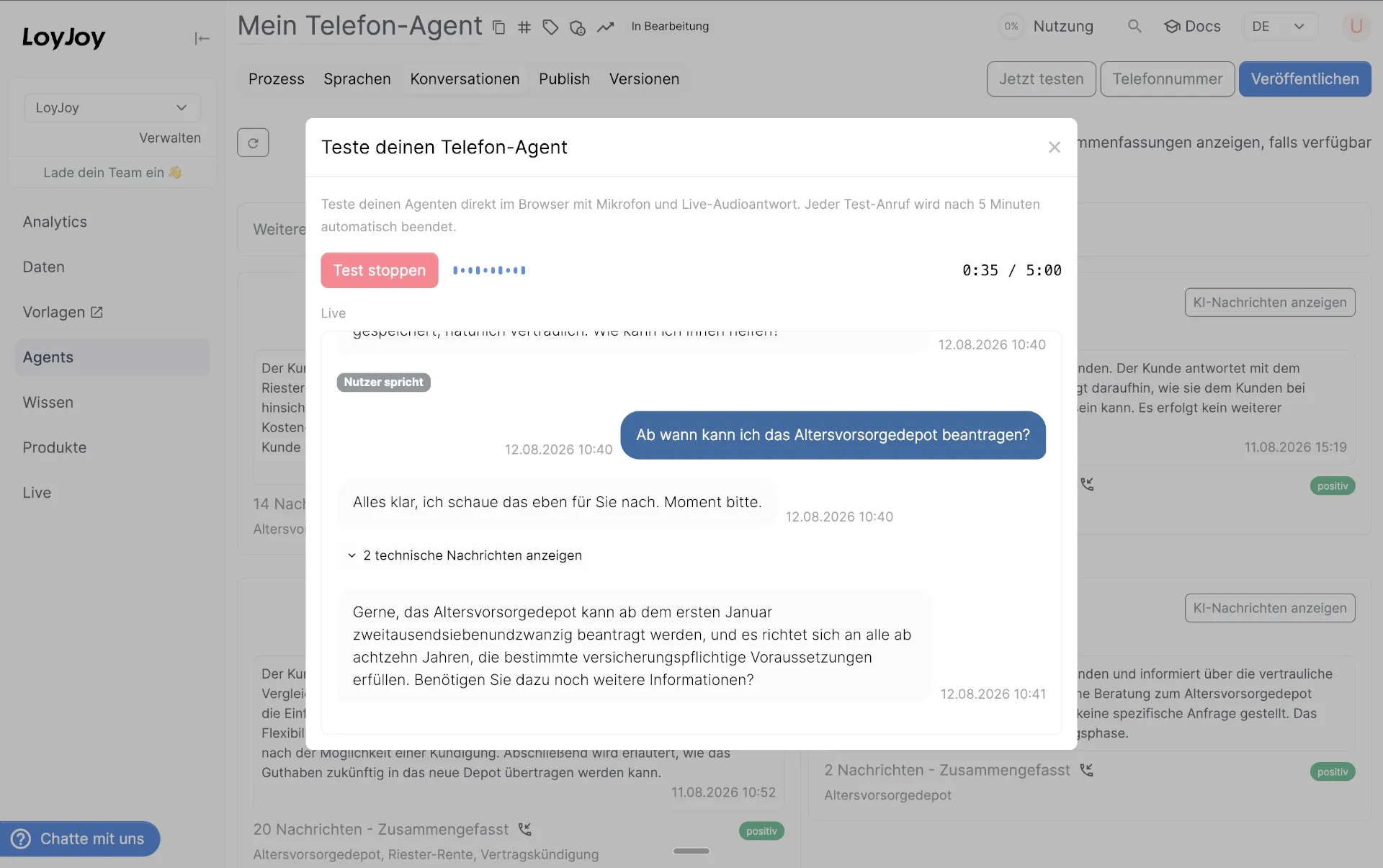
Browser test of a Phone-Agent with microphone, live audio response, and real-time transcript

  • Browser-based Phone-Agent test: Test a Phone-Agent directly in the browser with microphone input and live audio responses. This allows faster iteration during process design without placing a real phone call.
  • Live transcript and tool call view: During a test call you can now see user transcripts, assistant responses, and tool calls in real time. Technical messages can be expanded for deeper inspection of the process behavior.
  • Improved interruption handling: When a user speaks while the Phone-Agent is responding, queued audio is stopped immediately. This creates more natural conversations and avoids overlapping speech.

Improvements

  • Updated speech transcription model: The platform now uses a different transcription model for speech recognition in Phone-Agent interactions. This improves transcription quality and enables more accurate cost tracking based on token usage.

MCP Server Integrations with Selectable Tools UI

This release expands MCP integration in the LoyJoy Platform. You can now connect external MCP servers and control exactly which tools an AI Agent may use.

New Features

  • Selectable MCP tools per server Connect up to three MCP servers and choose exactly which tools an AI Agent may access. This gives you precise control over external capabilities and reduces unnecessary tool calls.

  • Automatic discovery of MCP tools The platform connects to the MCP server and lists available tools automatically. You can search, filter, and select the tools that should be available in the process.

Improvements

  • Tool category for files Tools that access files are now grouped in a dedicated “Files” category, making file-based capabilities easier to find and configure.

New Features

  • Tool calls now in chat history
    The AI Agent process module has supported executing structured tool calls and processing tool responses within a conversation since the beginning. These tool calls are now part of the chat history, allowing them to be referenced in follow-up questions. This was not relevant for the knowledge search tool, but with newer tools for file access, it is becoming increasingly relevant.

Improvements

  • Use case hints for process modules
    Process modules in the platform now show an additional use case hint directly in the header. This helps teams understand when and how a module should be used while configuring a process.

  • Additional AI model availability
    The platform adds support for the model Mistral Medium 3.5. Customers can use it for AI Agent processes where a strong balance of reasoning quality and performance is required.

Admin and Configuration

  • Clearer process module descriptions
    Descriptions for several process modules were refined to explain their purpose and typical use cases more clearly inside the platform.

AI Agents can list, search and read source files

AI Agents can now access uploaded files directly through dedicated tools. While the knowledge search tool searches parts of sources, the new tools can list, search and read documents in their entirety. This allows agents to utilize document content more effectively during conversations.

New Features

  • Files list tool AI Agents can retrieve a structured list of uploaded files from sources. This allows the agent to understand which documents are available before accessing them.
  • Files search tool AI Agents can search uploaded files by query and receive relevant documents. This helps the agent identify useful sources before reading the full content.
  • File read tool AI Agents can read the full content of a selected uploaded file as Markdown. This enables the agent to use detailed document information to resolve requests end-to-end.

Admin and Configuration

  • Visual tool categories in configuration Tool categories now include icons and colors. This improves orientation when configuring AI Agent tools in the LoyJoy Platform manager.

Better setup for Chat-Agent and Knowledge sources

This release improves how you organize Knowledge Base sources, configure tools for AI Agents, and start new Chat-Agent processes.

New Features

  • Dedicated Knowledge Base source sections: Manage URLs, uploaded files, and catalogs in separate sections. This makes it easier to organize sources and keep your Knowledge Base structured as it grows.
  • Folder navigation for Knowledge sources: Sources can now be browsed with a folder view, helping teams manage large Knowledge Bases more efficiently.

Improvements

  • Improved tool selection for AI Agents: The tool picker now shows grouped categories, localized descriptions, and clearer status indicators. This helps you understand faster when and why a tool should be used.

Chat-Agent

  • Faster Chat-Agent setup: New Chat-Agent processes now automatically include a welcome subprocess before the AI Agent module. This provides a clearer starting point for greeting users and structuring conversations.

Phone-Agent

  • Improved noise reduction default: Phone-Agent calls now default to near-field noise reduction, which improves speech quality for typical headset or handset scenarios.

New Tools View for AI Agents

This release introduces UI improvements for AI Agent configuration and optimized default AI instructions.

Improvements

  • Categorized tools for AI Agents: Tools are now grouped into clear categories such as Search & knowledge, Communication, Automation, and Data & variables. This makes configuration faster and helps teams find the right capabilities for their AI Agents.

  • Tool status indicators: Tools can now be marked as new or deprecated in the configuration interface. This helps customers identify recently introduced capabilities and avoid tools that are being phased out.

  • Improved data management dialogs: Managing operational data such as codes, coupons, participations, winners, and redemptions now opens in dedicated dialogs. This provides more space for large datasets and improves usability in process configuration.

Web Search with Domain Restrictions

The Web Search tool can now be limited to specific domains. This helps AI agents retrieve information only from trusted sources such as your documentation, partner sites, or selected knowledge portals.

  • Restrict searches to a list of allowed domains
  • Improve reliability and trustworthiness of AI responses
  • Easy configuration directly in the tool settings

Tools Filtered by Agent Type

Tools are now automatically filtered depending on the process type.

  • AI agents only see tools relevant to chat-based interactions
  • Phone agents only see tools designed for call flows (e.g., transfer or hangup)
  • Reduces configuration errors and simplifies tool selection

Process Type Visibility in the Manager

The manager interface now clearly displays whether a process is an AI agent or a phone agent.

  • Quick visual indicator in process lists and analytics
  • Easier navigation in projects with many processes
  • Better clarity when managing different automation channels

These improvements make it easier to configure agents, maintain clean tool setups, and ensure AI agents only access the sources and tools you intend.

New: Customer Satisfaction (CSAT) Surveys

Measure how satisfied your customers are directly inside your chat experiences. The new CSAT survey module lets you collect quick feedback with a simple 1–5 rating and optional follow‑up comments.

⭐ Emoji or Numeric CSAT Ratings

  • Ask customers to rate their experience using five emoji or numeric rating options.
  • Configure the visual style of the rating input to match your experience.

💬 Smart Follow‑Up Feedback

  • Automatically ask a follow‑up question based on the rating:
    • Dissatisfied customers can explain what went wrong.
    • Neutral customers can suggest improvements.
    • Satisfied customers can share what they liked most.
  • Capture optional free‑text feedback for deeper insights.

📊 Built‑in CSAT Analytics

  • View average CSAT score and participation directly in analytics.
  • Analyze dissatisfied, neutral, and satisfied segments.
  • Export CSAT comments via CSV for further analysis.

⚙️ Flexible Configuration

  • Control whether customers can edit their rating.
  • Add optional animations depending on the rating result.
  • Access CSAT results via variables such as csat_score and csat_text for automation and personalization.

With CSAT surveys, you can continuously measure and improve customer experiences across your conversational flows.

Eagerness Is Now Selectable for Voicebots

With this release, you can now configure eagerness for voicebots directly.

New Feature

  • Selectable Eagerness for Voicebots
    You can explicitly set the eagerness value to control how proactively your voicebot responds.

Smarter Response Analysis with Topics

This release introduces topic-based filtering and analytics for conversations, making it easier to discover patterns and investigate customer feedback.

Key Improvements

  • Topic Filtering for Conversations
    Filter responses by detected AI topics to quickly focus on specific themes in your conversations.

  • Interactive Topic Analytics
    Topic charts are now clickable. Selecting a topic directly filters the conversation list so you can immediately explore related responses.

  • Enhanced CSV Export
    Conversation exports now include detected AI topics, making it easier to analyze themes in external tools.

  • Improved Insights Dashboard
    The topic modeling view now combines visual charts with a quick selection panel to navigate conversations more efficiently.

New Launcher Animations

We added a set of new launcher animations and visual assets to enhance the look and feel of the chat launcher. These include new bubble, sparkle, swirl, and glow effects that make the launcher more engaging and customizable.

Better Branding Asset Handling

When copying branding between processes, asset metadata such as filename and extension is now preserved. This ensures fonts and other assets remain consistent when duplicating processes.

Updated UI Navigation and Controls

Several UI elements were refined to improve usability and visual consistency, including:

  • Improved spacing and layout in navigation bars
  • Cleaner tab styling

These improvements make the manager interface easier to use and visually clearer.

AI agents can read files uploaded in chat

This release introduces file-aware AI agents. Users can upload documents directly in the chat, and AI agents can access and analyze them to generate better answers.

Key improvements

1. New tool: user file access for AI agents
A new user_files_get tool allows AI agents to retrieve and read files uploaded by users during a conversation. This enables workflows such as document analysis, support with uploaded materials, and contextual answers based on user-provided files.

2. Automatic chat footer file selector
The chat widget now automatically enables the file upload selector when an AI agent uses the new file tool. The widget detects the active AI agent module and shows the upload option only when relevant.

3. File settings in AI knowledge configuration
A new Files section has been added to the AI knowledge configuration in the manager UI. This makes it easier to control when file uploads should be available to users.

4. Conversation export improvements
CSV exports for AI responses now include the URL of the page where the user asked the question, providing better analytics and context for conversations.

AI Agents can read uploaded user files

AI agents can now access and process files uploaded by users during a conversation. This allows agents to analyze documents and respond with context-aware answers.

Key improvements

  • User file access for AI agents – Agents can load and read text from files uploaded in chat.
  • Document-based responses – Agents can analyze documents such as PDFs, DOCX, PPTX, and text files.
  • Multiple file uploads – Users can attach multiple files in a single message.
  • Improved tool feedback – New status indicators show when files are being processed.

These improvements make it easier to build assistants that understand and work with user-provided documents.

New Email Tool for AI Agents

AI agents can now send emails directly within processes using the new Mail tool. This enables automated notifications, confirmations, or follow‑ups during conversations.

Updated AI Model Configuration

Enhancements to model configuration and availability:

  • Added support for Azure GPT‑5.4
  • Adjusted model visibility and defaults
  • Updated internal AI model naming

Improved Manager UI

Multiple UI refinements improve usability across forms, publishing, and configuration views:

  • Cleaner layouts for billing, publishing, and configuration panels
  • Better disabled input styling
  • Improved spacing and consistency in forms and popovers

AI Agent Editor with Clear Tabs

The AI agent configuration has been reorganized with dedicated tabs for Agent and Tools. This makes it easier to structure instructions, models, and integrations in one place.

  • New Agent and Tools tabs in the AI agent editor
  • Clearer separation between instructions and tool configuration
  • Improved usability for managing MCP tools and agent behavior

Faster Access to Billing

Trial and unpaid banners now include a direct link to the billing settings so you can subscribe or update your plan faster.

  • Quick navigation to the billing page from subscription banners
  • Easier upgrade flow during trial or unpaid states

Web Search Tool for AI Agents

AI agents can now search the web using a built‑in Web Search tool. This allows agents to retrieve up‑to‑date information from the internet and provide more relevant answers.

Key benefits:

  • Retrieve current information from the web
  • Provide more complete answers when knowledge base data is insufficient
  • Seamless integration into AI agent workflows

Voice Configuration for Phone Agents

Phone agents now support configurable voice selection. You can choose the voice used for spoken responses when interacting with callers.

Highlights:

  • Multiple voice options available
  • Better control over the tone and style of voice agents
  • Improved testing directly from the manager interface

Process Version Diff

You can now compare two versions of a process directly in the manager.

Capabilities:

  • Structured diff view between versions
  • Highlighted added and removed changes
  • Optional AI-generated summary explaining the differences

This makes reviewing updates and understanding process changes much easier before publishing.

Improved AI analytics and product locale checks

This release introduces new analytics insights for AI-powered conversations, improves product feed validation across locales, and enhances system reliability.

1. New AI analytics metrics

Track how AI features perform directly in analytics:

  • AI Agent Answers metric shows how often AI successfully responded to users.
  • Email Entered metric tracks when users submit their email during conversations.

These metrics are now available in interval charts, funnels, and analytics exports to help evaluate AI engagement.

2. Product validation for active locales

A new model-checking rule detects when products are missing for active languages. If a chatbot uses product feeds but no products exist for certain locales, the system now flags this early so you can fix it before going live.

The manager chat interface now supports:

  • External links with previews
  • Embedded content blocks (iframe embeds)

This makes it easier to review and test rich content messages directly in the conversation view.

4. Better crawler reliability

The crawler now detects redirects to external domains and stops indexing them. This prevents unintended content ingestion and improves stability when crawling websites.

5. Rate-limit message improvements

  • Improved rate-limit messages for AI components.

These improvements make the platform more stable when handling complex AI and crawling tasks.

New: AI Conversation Insights

Understand customer conversations better with automatic topic extraction and sentiment insights. The platform now detects key topics from conversations and stores them alongside AI summaries.

Benefits:

  • Automatically categorized conversation topics for every response
  • Improved analytics and reporting across conversations
  • Better visibility into what customers are asking

AI Quality Check for Conversations

A new AI quality check tool helps evaluate how well your AI agent answers customer questions.

Highlights:

  • Analyze up to 100 conversation summaries at once
  • Identify topics answered well vs. poorly
  • Get structured insights to improve your AI agent

Topic Analytics Dashboard

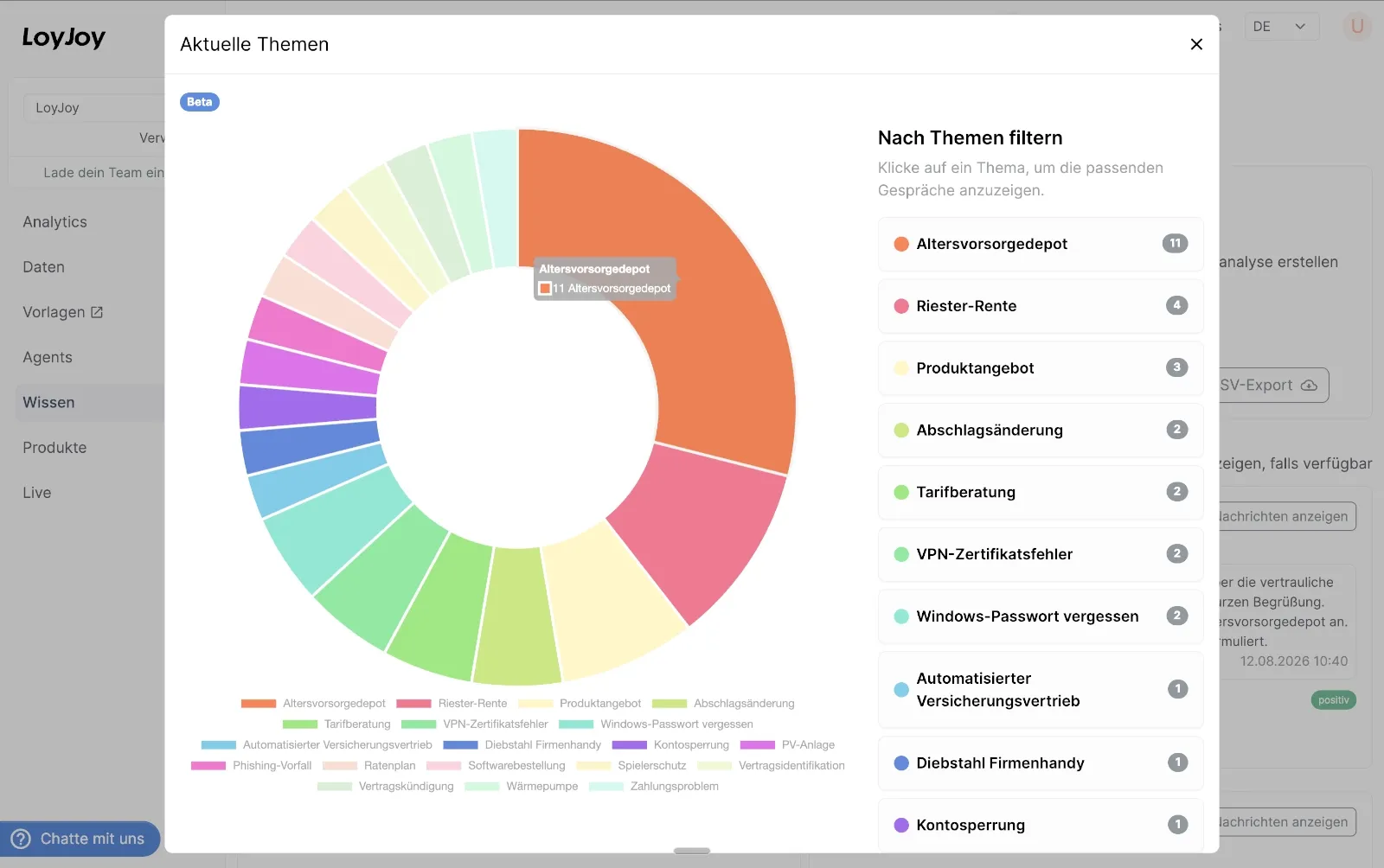
Topic analytics dashboard with a donut chart and filterable topic list

The new topic modeling dashboard shows the most common conversation topics.

Features:

  • Pie chart visualization of current topics
  • Topic frequency analysis
  • Filterable by sentiment, date, and process

Browser Voice Test for Phone Agents

You can now test phone agents directly in the browser using your microphone.

This makes development much easier:

  • Live microphone input
  • Real‑time AI voice responses
  • No external phone setup required

Improved Phone Agent Instructions

Phone agents now include speech‑optimized instructions, ensuring URLs, numbers, and emails are spoken clearly and naturally during voice interactions.

This release adds two model updates and includes internal platform improvements.

  • New LoyJoy AI model: Gemma 4 31B on our own infrastructure
  • New available model: GLM 4.7 via AWS Bedrock
  • Internal update of the manager UI to Bootstrap 5
  • Preparations for the upcoming public phone bot release

This release introduces several improvements to the chat widget and form experience, giving teams more control over mobile behavior and localization.

Mobile‑specific launcher size

You can now configure a separate launcher size for mobile devices. This allows the chat bubble to stay unobtrusive on small screens while remaining prominent on desktop.

Key benefits:

  • Independent size settings for desktop and mobile
  • Better visual balance on small screens
  • Improved responsiveness of the widget

Custom submit button labels for forms

All major input forms (e.g., name, phone, password, birthdate, scanner, etc.) now support customizable submit button titles via translations.

This enables:

  • Better localization across languages
  • Clearer calls to action for users
  • More flexibility in conversation design

Improved publish button guidance

The publish button in the editor now shows clearer feedback about unpublished changes, helping teams understand when an agent needs to be published.

These improvements make it easier to design responsive chat experiences and tailor form interactions to your audience.

Real-Time Voice AI and Twilio Media Streaming

This release introduces real-time speech‑to‑speech (S2S) voice AI capabilities for phone-based agents and extends the LoyJoy platform with deeper AI and tooling integrations.

1. Real-Time Speech-to-Speech Voice AI

LoyJoy now supports real-time voice conversations using OpenAI Realtime models.

Key capabilities:

  • Direct speech-to-speech interaction without separate STT and TTS pipelines
  • Faster and more natural AI phone conversations
  • Support for real-time tool calling inside voice conversations
  • Streaming audio responses for low-latency experiences

2. Analytics Improvements

Product analytics now track product display events, enabling more accurate click‑through and engagement analysis.

3. UI and Platform Improvements

Several improvements across the manager UI and widget:

  • Enhanced AI instruction editing experience in the AI agent process module
  • Added CookieChimp consent manager support
  • Simplified AI tool configuration

Stripe Billing, Authentication Upgrades, and Platform Enhancements

This release delivers important updates to LoyJoy’s infrastructure and user experience, including seamless subscription management via Stripe, new authentication methods for users and AI models, and enhanced publishing controls.

1. Stripe Subscription Management

We have fully enabled Stripe integration to optionally allow subscription management via Stripe:

  • Customers can now manage their subscriptions and billing information directly through the Stripe customer portal.
  • This transition provides a significantly improved user experience and offers robust, self-serve features for subscription management.

2. Expanded Authentication Options

Access and security configurations have been broadened across the platform:

  • Login with Microsoft: We have enabled “Login with Microsoft” within the LoyJoy Manager for all tenants, simplifying access for enterprise teams.
  • OpenAI-Compatible Model Auth: In addition to standard API keys, OpenAI-compatible models can now be configured using OAuth2 client credentials and Basic authentication. This added flexibility is ideal for complex hosting environments, such as LiteLLM setups, that require more advanced authentication methods.

3. Publishing Controls and Analytics

We’ve added more granular controls for deploying your chat and exporting your data:

  • Publish Exclusion Lists: You can now create a list of specific URLs where the LoyJoy chat widget should not be displayed. This gives you precise control over where the chat appears on your website.
  • Richer Analytics Exports: The analytics spreadsheet export now includes questionnaire answers and variables, provided the questionnaire process module is selected in your analytics view.

4. Infrastructure Updates

  • CDN Migration: We have transitioned our Content Delivery Network (CDN) from Cloudflare to new providers. For complete details regarding our infrastructure and the new providers, please refer to our updated Trust Center.

Performance Monitoring and Enhanced Agent Capabilities

1. Analytics Dashboard:

Conversations and AI messages are now displayed directly on the dashboard. A new module for latency metrics also allows for precise monitoring of response times.

2. CRM & File Access:

Internal agents can now directly access customer master data (CRM) and stored files to handle inquiries in a context-aware manner.

More Accurate Product Recommendations

The automated evaluation (Completions Eval) for the product gallery has been improved. This ensures that the AI delivers even more accurate results for product queries.

Deep Logging for Technical Analysis

Targeted Process Filtering:

Runtime log entries now include the entity ID of the respective process element. This allows technicians to filter logs specifically by individual modules, which significantly speeds up troubleshooting in complex dialogs.

Data Insights and Live Management

1. Enhanced Export Data:

The spreadsheet export and folder analytics now include detailed information on link clicks and website sessions.

2. NPS Quality Analysis:

A new key performance indicator (KPI) in the NPS module immediately shows how many users left free-text feedback in addition to their rating.

3. Live Management:

Account owners are now authorized to delete ongoing conversations directly to maintain clarity.

Intelligent Prioritization and Global Scaling

1. AI Prioritization & Failover:

All LLM requests are now prioritized. High-priority requests are processed first. In addition, an automatic failover system has been implemented: If a provider (e.g., OpenAI) is at capacity, a backup model immediately takes over.

2. Enhanced Analytics Exports:

Excel exports from Analytics now include link clicks to better measure the success of calls-to-action.

3. Flexible Data Retention:

The retention period for AI messages can now be individually set to up to 60 days.

# 4. Design & Internationalization:

When copying brandings, Lottie animations are now also included. Additionally, support for the Indonesian language (locale) has been added.

5. Enhanced Trial Mode:

New customers now have access to significantly more features during the trial period to fully evaluate the platform.

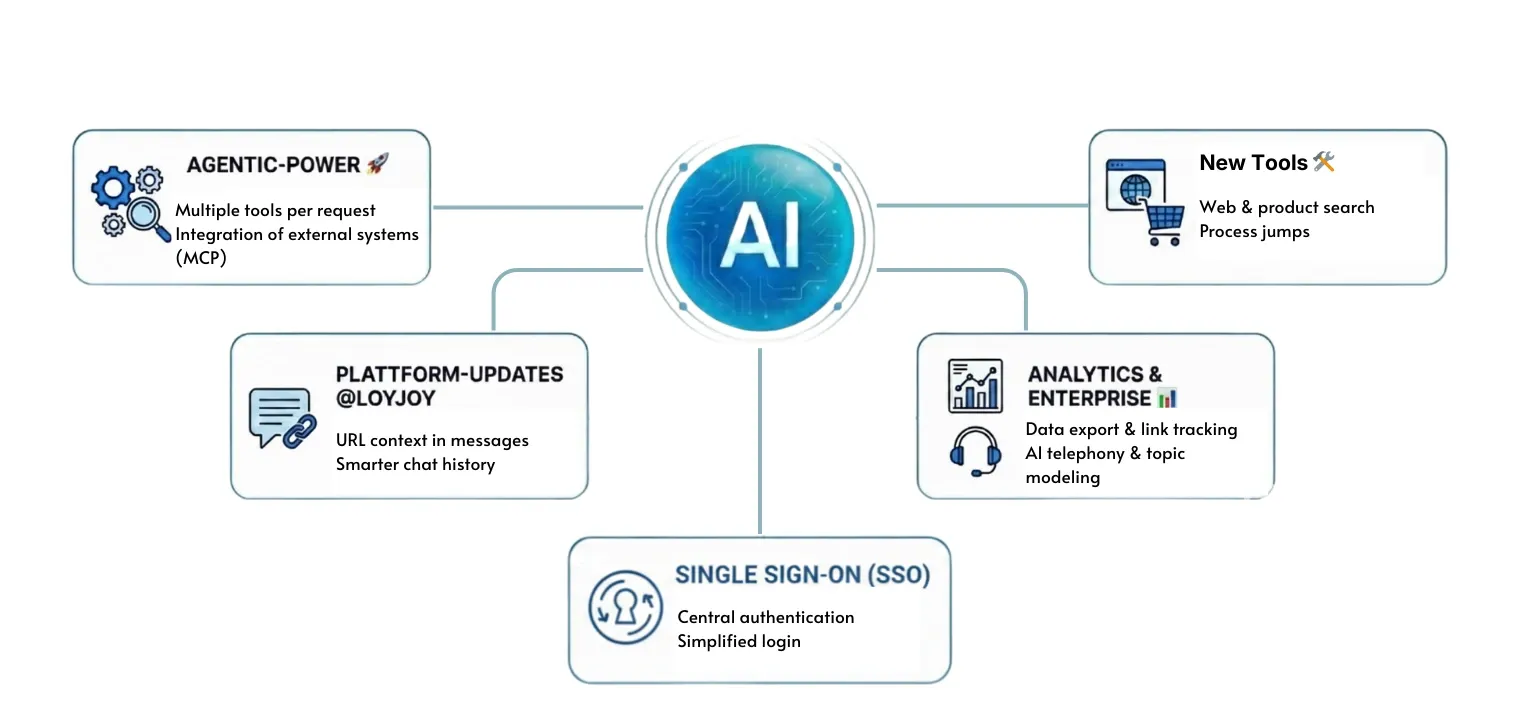
With our latest release, we are expanding the intelligence of our platform with new capabilities. The update brings a total of 20 new features for more flexibility, more precise answers, and seamless integrations. Here are the highlights:


🚀 Agentic AI & Tools

  • Multiple Tools per Query: A single AI call can now utilize multiple tools simultaneously. The result? Significantly more informed and comprehensive answers for your customers.
  • Prompt Standards and Custom Instructions: We are making it easier than ever for beginners to get started with AI, while also providing full flexibility for individual extensions by professionals. 🧩
  • External System Integration: Connect your AI directly with any MCP-capable systems (Model Context Protocol) for seamless data integration. 🌐
  • Expanded Tools: You now have access to web search, product search, process execution, and many other tools. 🛠️
  • Future-Proof: We are building on modern reasoning technology instead of simple RAG approaches. 🔄
  • More Precise Answers: By smartly combining various data sources and tools, you will receive more accurate and context-aware answers. 🎯

New Features in January

We have made many adjustments to make daily work with LoyJoy even more efficient:

  • AI Message View: Now directly includes the URL of the page where the question was asked – for better context.
  • Smarter Chat History: The previous conversation history is now even better taken into account for user questions.
  • Web Page Context: The user’s current web page can now be actively used to answer questions.
  • Targeted Tool Usage: The use of tools can now be specifically controlled through individual prompts.
  • Roles & Permissions: There are additional roles for LoyJoy users.
  • API Security: Separate handling of secrets for APIs is now possible.

📊 Analytics Expansion

Attention data enthusiasts! We have significantly expanded the analytics area:

  • Export Function: All analytics data can now be conveniently exported as an Excel spreadsheet. 🎉
  • Link Tracking: Click-through rates for links are now visible.
  • Product Feed: Detailed metrics for products displayed in chat and clicks on products have been integrated.

🏢 Enterprise & Unlimited Exclusive Features

Exclusive new features, only for our Enterprise and Unlimited customers:

  • AI Topic Modeling: Automatic analysis of the topics that customers are really asking about.
  • Sentiment Analysis: AI-based assessment of customer satisfaction.
  • Internal Sessions: When internal tests are conducted, they are now reliably counted and reported separately via IP.
  • Versioning & Publishing: Up to 5 old versions are saved and can be restored if needed.

With Agentic AI, your AI agents can now independently complete tasks and make autonomous decisions. With LoyJoy, you use Agentic AI directly at the customer interface. And this is in conjunction with tools such as product consulting, web search, and of course connected to your knowledge database. We connect the world of process automation with Agentic AI for the most powerful AI agents on the market!


In our brand new video, Ulf shows you how to build and get your own LoyJoy AI Agent up and running from scratch in just 9 minutes.

Agentic AI – Your AI agents are getting smarter 🤖

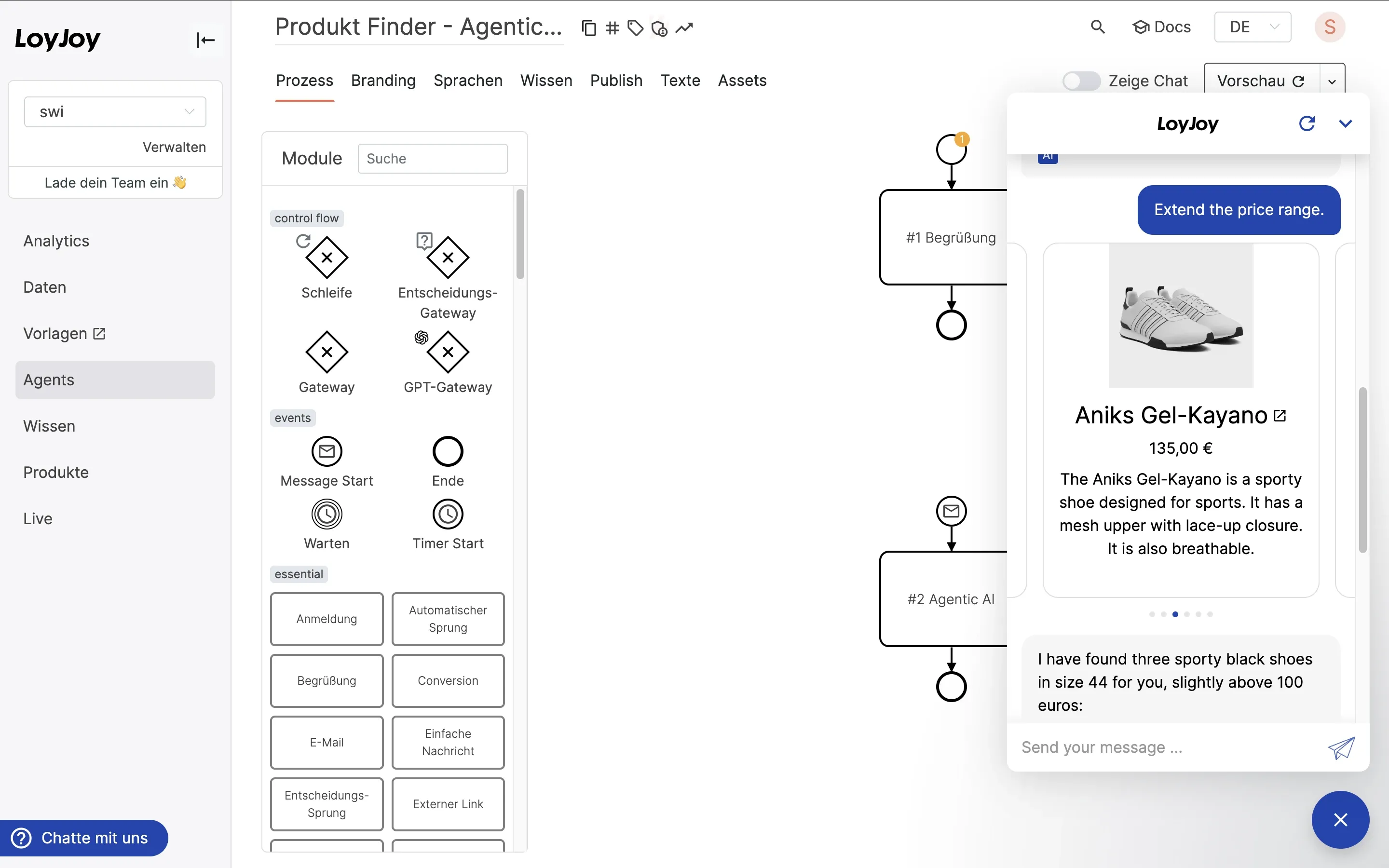
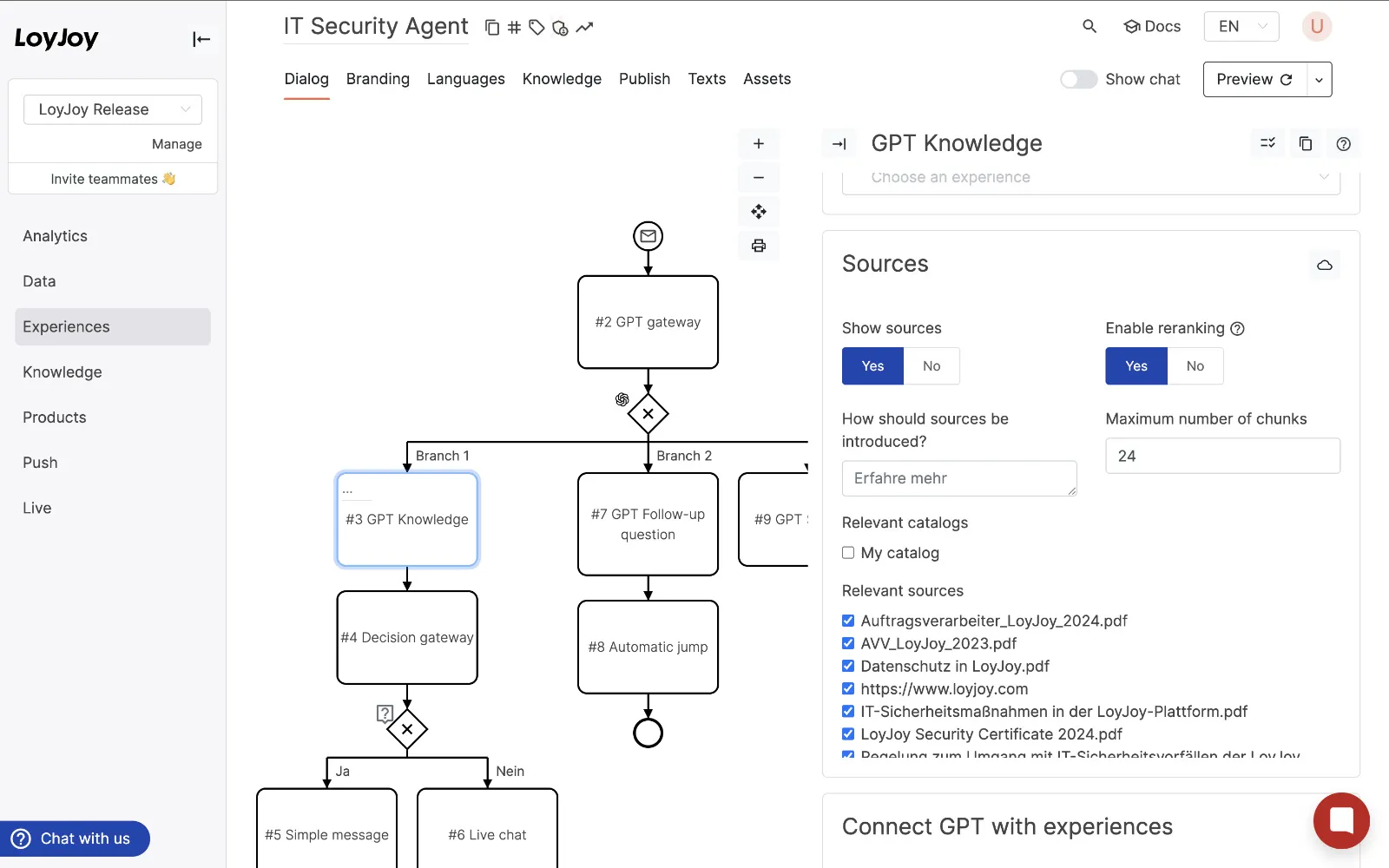
Thanks to the new AI Agent module, your AI agents can now perform actions independently. The AI Agent module consists of instructions (“prompts”) and tools. This allows you to give your agent instructions on how to respond to specific situations and which tools to use for that purpose. The tools are APIs or other interfaces that your agent can use to retrieve information or perform actions, thus handling customer inquiries.

With our new AI Agent module, we are equipping your chatbots with the ability to solve complex tasks independently. The AI Agent module makes the old GPT modules obsolete.

The list of tools currently includes:

  • Executing processes in LoyJoy,
  • Knowledge search (in the LoyJoy knowledge database),
  • Product search (in the LoyJoy product database) and
  • Product display,
  • Web search

and will be expanded in the future.

We have already published the new template Product Finder Agentic AI in the LoyJoy Template Store, which you can use directly to create your first agent with Agentic AI.

➡️ Here goes to the template

Further Optimizations 🦄

Further innovations of the LoyJoy platform

In addition, we have created the option to use Lottie-animated chat bubbles for your chatbots. This feature allows for an even more appealing and dynamic design of conversations with your customers.

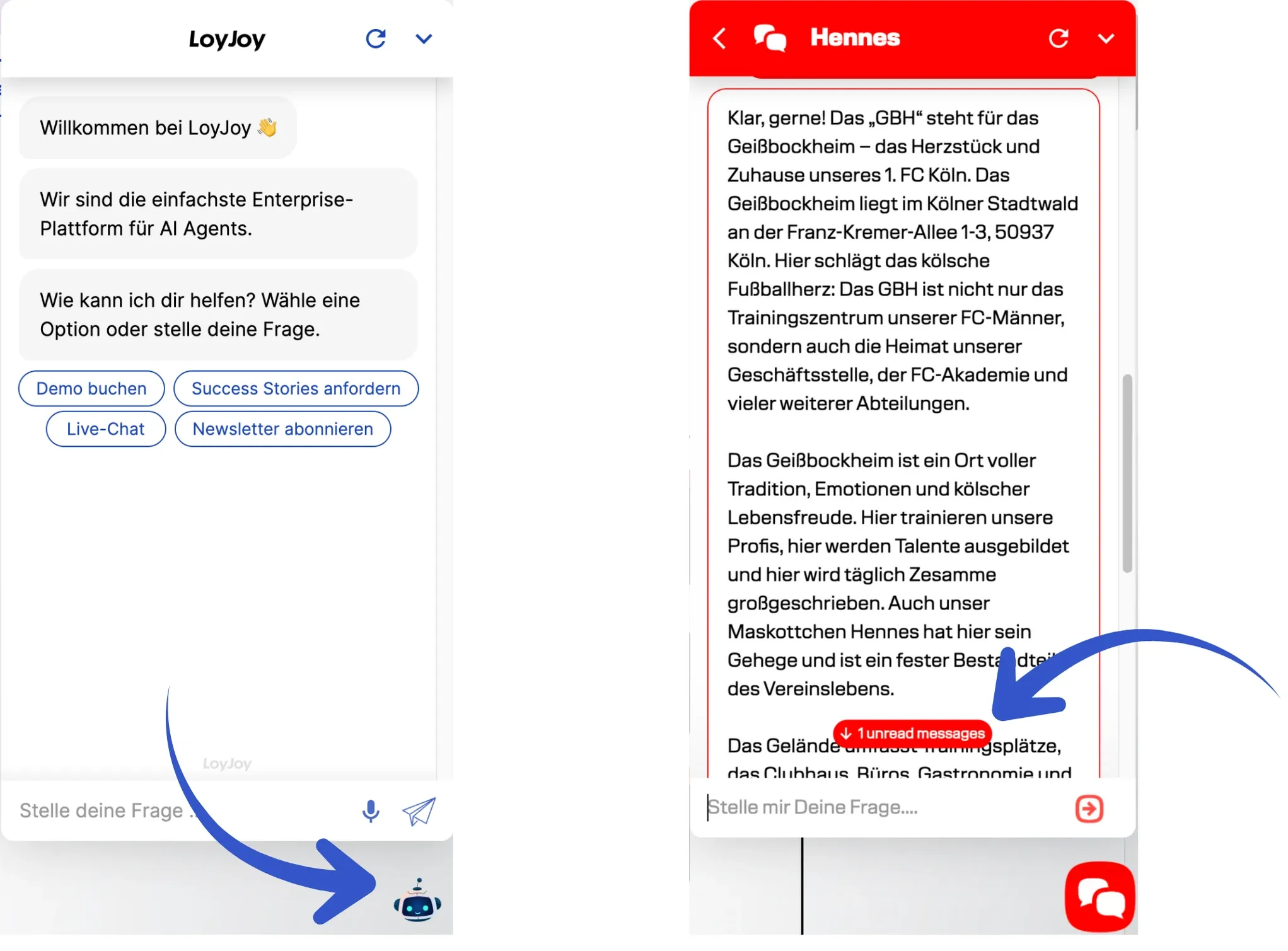
Improved scrolling behavior: The scrolling behavior in the chat widget has been optimized to enhance user-friendliness. The chat no longer automatically jumps to the latest messages.

With our September release, we’re introducing a long-awaited feature: versioning. Now you can review changes to your agent in peace and publish them for your customers only when you’re ready. Customers will only see your changes after you publish them. This feature is now available to all customers. Enterprise and Unlimited plan customers can also restore previous versions and have access to the last five versions.

GPT-5 and Mistral are here: We’ve expanded the LoyJoy Platform with four powerful new AI models, all of which can be hosted in the EU.


Release Highlights 🚀

Versioning – Keep Track of Your Changes 🔄

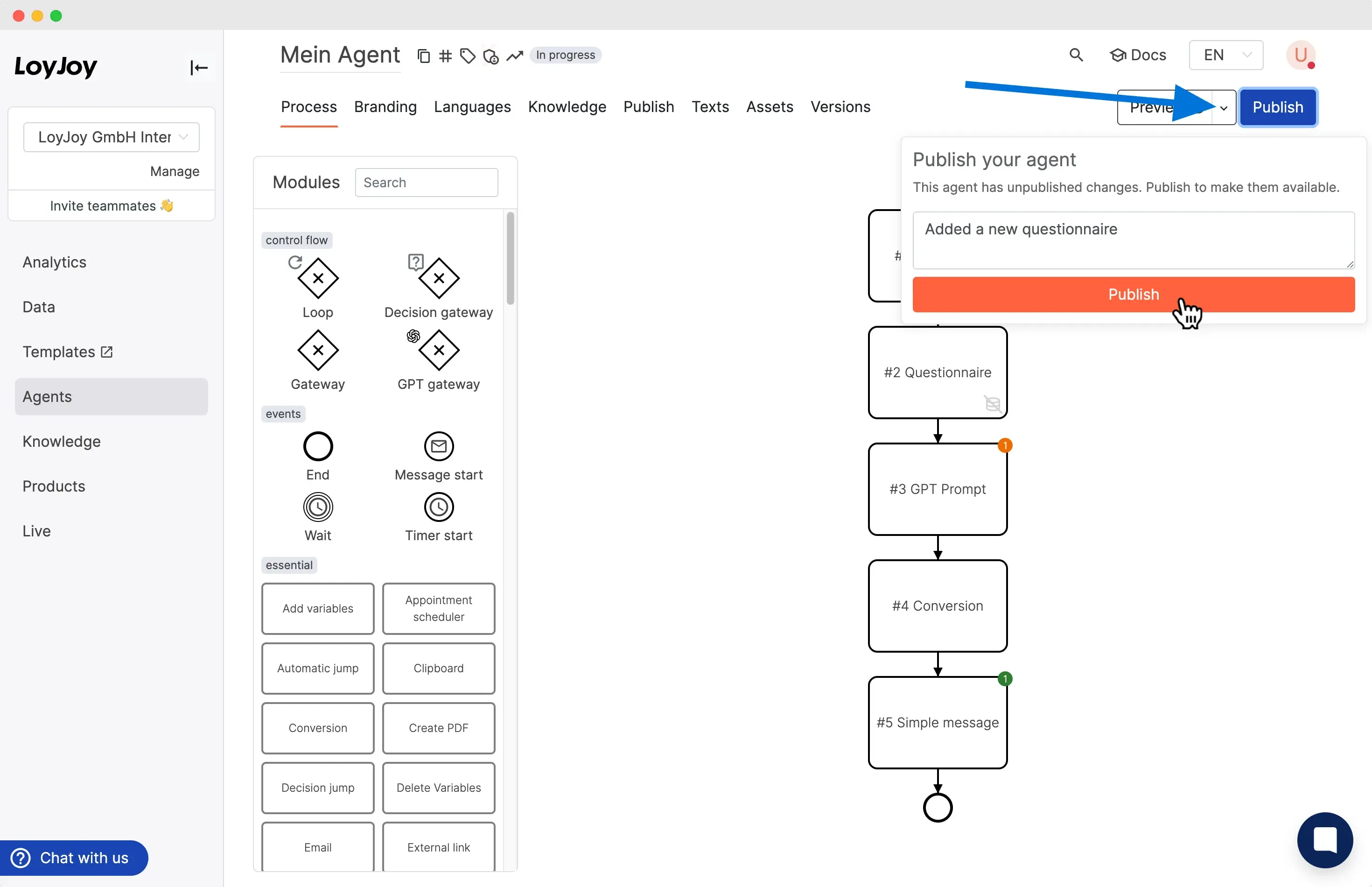
Until now, changes to an agent went “live” immediately and were instantly visible to your customers. But that’s not always desirable. Thanks to the new versioning feature, you can now make changes, test them, and publish them when you’re ready. Simply click the new “Publish” button in your agent. Only then will your customers receive the new version of your agent.

The button is clickable whenever there are unpublished changes.

This feature is now available in all LoyJoy plans.

For Enterprise and Unlimited plan customers, there’s even more: Under the new ‘Versioning’ tab in the Manager, you can view a history of your changes, restore previous versions, and ensure you always have control over your projects. The last five versions are always saved.

The first entry is the version currently live, indicated by the green ‘Live’ button. All other entries are saved versions that you can view and restore. You can also copy versions and use them in a new agent. Each version has a name, creation date, the name of the user who created it, and a description of the changes. Add a comment to a version to easily identify it.

With the ‘Restore’ button, you can restore a previous version. The restored version moves to the top and becomes the active version. The previously active version is then saved as a new version below.

➡️ Click here for the guide

More Choice & Power: New AI Models in the LoyJoy Platform 🇪🇺

In addition to new agent capabilities, you now have more control over the technology powering them. We’ve expanded the LoyJoy Platform with four powerful new AI models:

  • Scaleway gpt-oss-120b – the new open-source model from OpenAI!
  • GPT-5 Nano
  • GPT-5 Mini
  • GPT-5
  • Mistral Medium

All four models can be hosted directly from the EU, ensuring maximum data security and GDPR compliance. With models from Scaleway and Mistral, we’re taking it a step further by offering AI models from European providers for the first time.

We’ve also made improvements under the hood: The GPT Knowledge Module and more are now significantly more powerful. Your agents can process information even faster and more accurately.

Our July update opens up new scope for you: automatic AI testing, fresh model options, a flexible role system, deeper context integration via MCP and animated avatars - all to build faster, manage more cleanly and communicate more personally.


🌟 Highlights at a glance

AI test automation - save time when testing your configurations

This really saves you time! To test the AI in a LoyJoy agent, you no longer need to type your questions into the chat and wait for the answer. Instead, simply upload your up to 100 test questions as an Excel file. The AI with your configuration will answer them automatically and you can download the results for review.

You can easily test every change to your AI settings such as prompt or model: Go to your agent and on the ‘Knowledge’ tab, you will find the ‘AI Test Automation’ button, where you can then upload your Excel list. ➡️Click here for instructions

New AI models: GPT-4.1, GPT-o4-mini & GPT-o3

Choose the right model for your goal:

  • GPT-4.1 is ideal for complex dialogues with a lot of context, demanding consultations or dynamic content with high quality requirements.
  • GPT-4.1 mini offers a good balance of quality and speed - ideal for interactive product finders, simple advice or feedback processes where reliability is important but maximum depth is not.
  • GPT-4.1 nano** is the lightest version and ideal for clearly structured, shorter enquiries - for example simple FAQs, surveys or quick introductory dialogues.
  • GPT-o4-mini: With reasoning! Compact, fast and ideal for standard dialogues or supporting tasks.
  • GPT-o3: The most powerful model in the O series. Particularly suitable for complex applications with high demands on precision, depth and response quality - for example for data-intensive analyses or complex decision-making processes.

New roles & rights system

A granular roles and rights concept is important for enterprises. We have made 10 new roles available. These roles can be changed at any time by owner/owner role. You can find an overview of all roles here.

MCP (Model Context Protocol): Context & tools via stream

The MCP is now also compatible with O-Series models. This allows you to give your agent in LoyJoy access to external tools or data sources. To do this, enter your MCP client in the GPT Knowledge module. It must support Streamable HTTP.

💡 What does this do for you?

  • Remote control: Use your own AI agent in the browser, such as ChatGPT or Gemini, to access LoyJoy directly, e.g. to query analytics data or analyse processes.
  • More context sources: Connect knowledge databases, APIs, product data, etc.

➡️To the blog article + instructions

Animated avatars for your chatbot

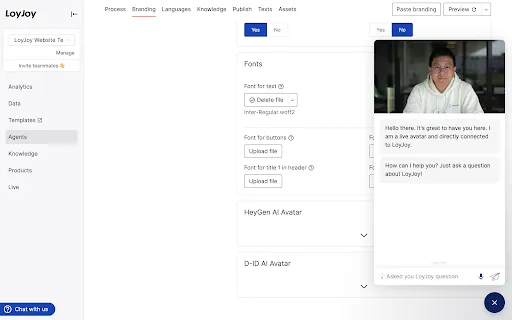
Would you like to bring your LoyJoy agent to life with an avatar? It’s very easy now. Just enter a few details from your Hey-Gen or D-ID account and you’re ready to go. It really only takes a few minutes!

➡️Example & screenshot: HeyGen live demo

Further improvements

  • All manager translations are now supported by gpt-4o-mini for context-aware language quality.
  • New model checking rule ensures images always carry ALT text - improves SEO & accessibility.
  • API client module allows custom header names & prefix in OAuth2 mode.
  • Z-index setting removed from manager/sites to avoid styling conflicts.
  • Conversation selector is hidden by default for a cleaner header; you can always enable it in the branding settings.
  • The message module allows you to tag AI-generated messages.
  • Home View and Roster groups can be linked directly to articles.
  • The CleverReach connection has been expanded: forms can now also transfer inactive subscribers directly to CleverReach, for example as part of a double opt-in process. This makes it much easier to manage and automate your email lists.
  • The GPT gateway has also been improved. If a request is not answered due to an Azure content filter, it now returns specific information on Azure content filtering. This allows you to understand why a response was blocked and make targeted adjustments.

🆕 Neue Templates im Store


🙏 Thanks for reading!

Your feedback drives every release. Try out the new features, share your ideas and look forward to the next highlights in generative AI & conversational agents. Have fun building!

🌟 April release at LoyJoy: accessibility, AI test automation, intelligent product finder, smart analytics - and much more

🧑‍🦯 LoyJoy complies with the German Accessibility Improvement Act (BFSG)

We are delighted to announce a very special highlight: The LoyJoy chat is now accessible! 🎉 Thanks to comprehensive accessibility optimisations, our chat platform is now fully usable via screen reader, navigable with the keyboard and clearly structured. This means we fulfil the requirements of the Accessibility Reinforcement Act (BFSG), which will apply to digital services from June 2025 - and send a strong signal for digital inclusion and participation. More information in our blog post.

But that’s not all - here are the latest highlights:

📦 New chat widget with web components and ES6 module

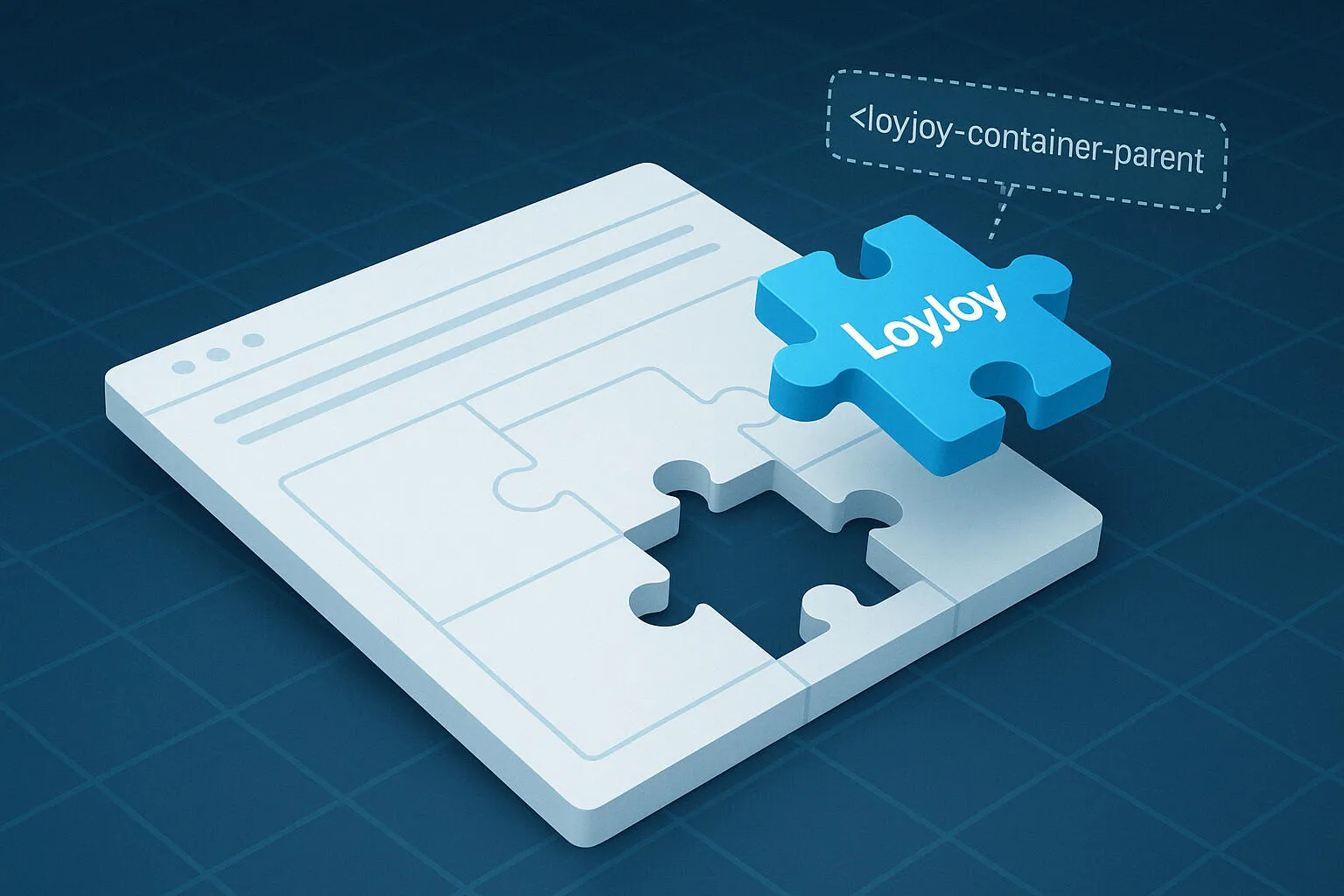
Our LoyJoy widget is now provided as a native web component () - integrated via a modern ES6 module. This eliminates the previous iFrame, which enables faster loading times, simpler styling, full CSP compatibility (incl. nonce support) and clean integration into modern web stacks. Ideal for developers and marketing teams alike. 💬🚀 All details in the blog post.

📊 Intelligent Insights (Beta)

Our new Intelligent Insights feature is now available in the Analytics of every Agent. The AI automatically analyses chat performance, creates a report and provides specific optimisation suggestions - ideal for identifying weak points and improving experiences based on data.

🛍️ Intelligent product advisor with GPT

With the new GPT Recommender module, you can build a smart product advisor in just a few minutes - without any programming. Customers describe what they are looking for, the bot asks questions if necessary and suggests suitable products from your product database - including availability, coupon function and add-to-cart (as with Wine in Black, for example).

Product data highlight:

The product database can now also be easily uploaded via CSV or XLSX - for example from your ERP or shop system. This allows you to update product data in just a few seconds - even automatically and regularly.

🧠 GPT Knowledge is even smarter

  • PDFs are now automatically divided into structured Markdown sections during upload - ideal for more precise answers.
  • When answering questions, the generative AI can now also include the current website on which the user is currently located. In particular, questions that include the context of the current website are answered reliably and without further enquiry.
  • GPT is able to rewrite users’ follow-up questions in order to improve the quality of the answers.
  • Complex questions can be broken down into sub-questions - this improves the RAG context search and significantly increases the hit probability.

🎨 Further improvements at a glance:

  • Display product galleries directly in the live chat
  • Delete all products at once in the manager - ideal for large updates
  • Emojis in Quick Reply buttons possible 🌟
  • Text colour of the header in the chat window as well as the primary and secondary buttons can now be individually adapted

New LoyJoy Release January 2025

We have once again developed the LoyJoy platform to support you in automating, personalizing, and enhancing the efficiency of your interactions.

AI Shopping Agent: Intelligent Product Consultation via Chat

AI-supported product consultation for increased sales will be the big topic in 2025 at LoyJoy!

Our client Wine in Black uses the “Intelligent Sommelier” to help customers discover excellent wines and current offers. Try the Sommelier now

  • AI Product Advisor Template: Use our new Product Advisor Template to efficiently implement AI-supported product recommendations.
  • Product Manager: Products can now be added and edited directly in the LoyJoy Manager. Learn more
  • Products API: Programmatic uploading of product data and integration into processes. Learn more

Gen AI-Supported Knowledge Processing and Explainable AI

  • Improved Website Crawler: The HTML of websites is now converted to Markdown to retain the formatting and links of the website. The chat now provides better link recommendations in the responses.
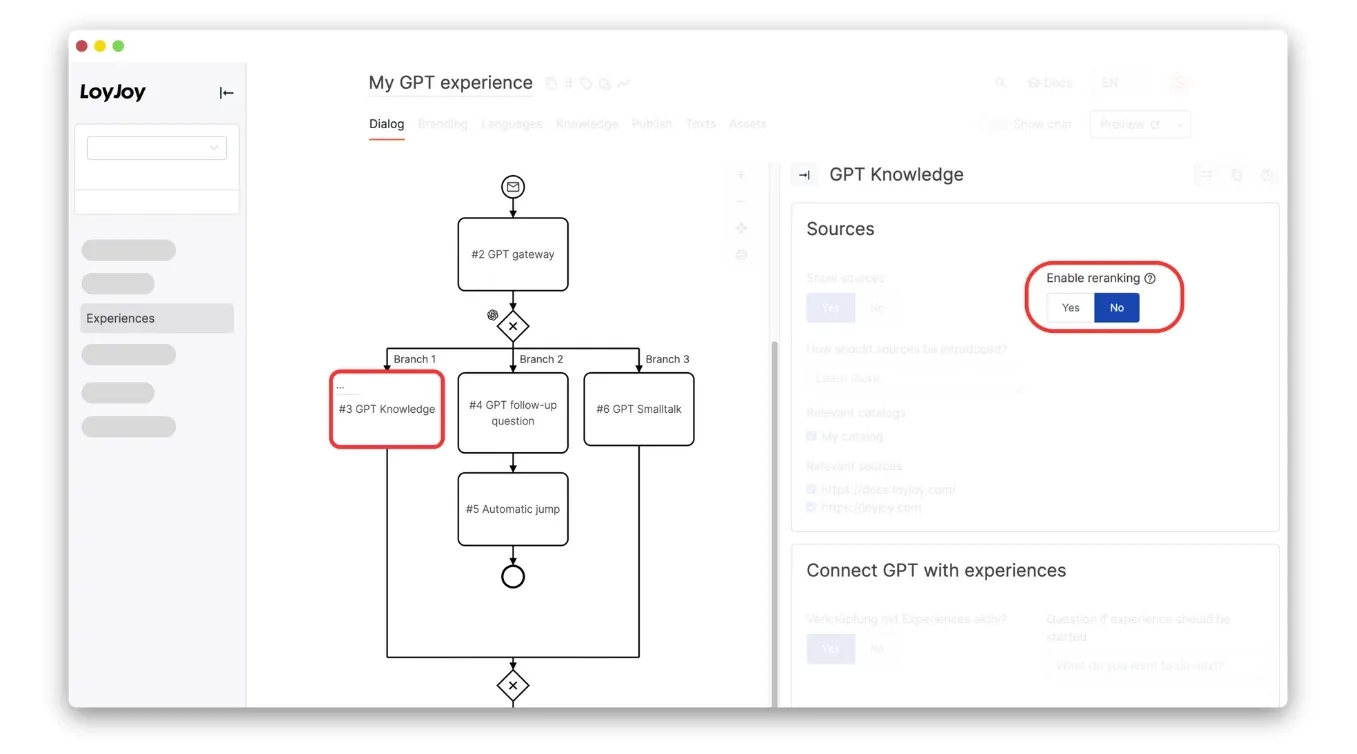
  • More Chunks and Optimized Knowledge Integration: In the GPT Knowledge module, configuring the number of knowledge chunks (max. 32) is now possible to receive more relevant answers. If multiple mentions are found in a source, they are now optimally sorted. If re-ranking is enabled in the GPT Knowledge process module, 1/3 of the sources will now always be selected, and 2/3 will be selected based on the re-ranking. This makes source selection more robust.
  • Explainable AI – Cite sources directly in the text: With generated answers, sources can now also be cited directly in the text (and not just below the answer). Initially, this will only be supported by the Command-R model from Cohere. To test this, select this model under Knowledge > Tab “Settings”. More models will follow.
  • Choose LLM per Module: You can now choose the GPT model in each GPT module separately, allowing for example GPT-4o or o1 selection for a specific module where strong AI is required. GPT-4o-Mini then remains the standard for all other modules.
  • Extend Answers with Web Search: The “GPT Knowledge” process module now has the ability to search the internet for sources. The search allows you to search the web for answers to a question in addition to the internal LoyJoy knowledge database. The web search offers different search engines. These can be configured in the module settings.

Extensions in the Chat UI

  • Dynamic Text Length in the Chat Footer: The chat footer automatically expands for longer questions and scrolls if necessary. The maximum length of questions can be configured under Branding in the footer.
  • “Show All Sources” Function: The chat by default shows the top 4 sources in AI-generated answers but now offers the option to display all sources (simply click the ”+” to expand).
  • New API Parameters: With message and suggestions, messages and suggestions for the chat can be pre-defined. For example, the chat can be started from a search input field, and the question entered in the search field is passed to the chat for answering. Learn more

New Process Modules and Functionalities

  • Form Module: Create customizable forms with AI-supported validation and autocompletion. Learn more
  • GPT Knowledge Improvements: Combine complex API mappings with JSON pointers, XPath, and the LoyJoy Expressions Engine for powerful integration with legacy systems. Learn more
  • Brevo Module: We now support direct integration with Brevo! Use personalized email marketing automation.
  • New Features for Chat Management: The live chat history can be sent to CRM or ticket systems with the chatHistoryLive function. Learn more

Optimizations for Usability and Design

  • Process Editor: Drag scroll with the middle mouse button for easier navigation.
  • Chat Design: Colors and input fields in the chat adapt to the brand color.
  • Inline Video Playback: Videos in the chat are played inline on mobile devices in the Video Gallery module without switching to fullscreen mode. Learn more

Analytics and Cost Control

  • Extended Analytics for Modules: Track API calls for Google Maps in the Places module to better control costs. Learn more
  • GPT Cost Tracking: Transparent tracking of AI usage.

You can find a complete list of all changes, updated daily, in our Change Log.

Always a step ahead with LoyJoy – discover the latest opportunities for your business.

Azure GPT-4o Mini, Double the Number of Sources

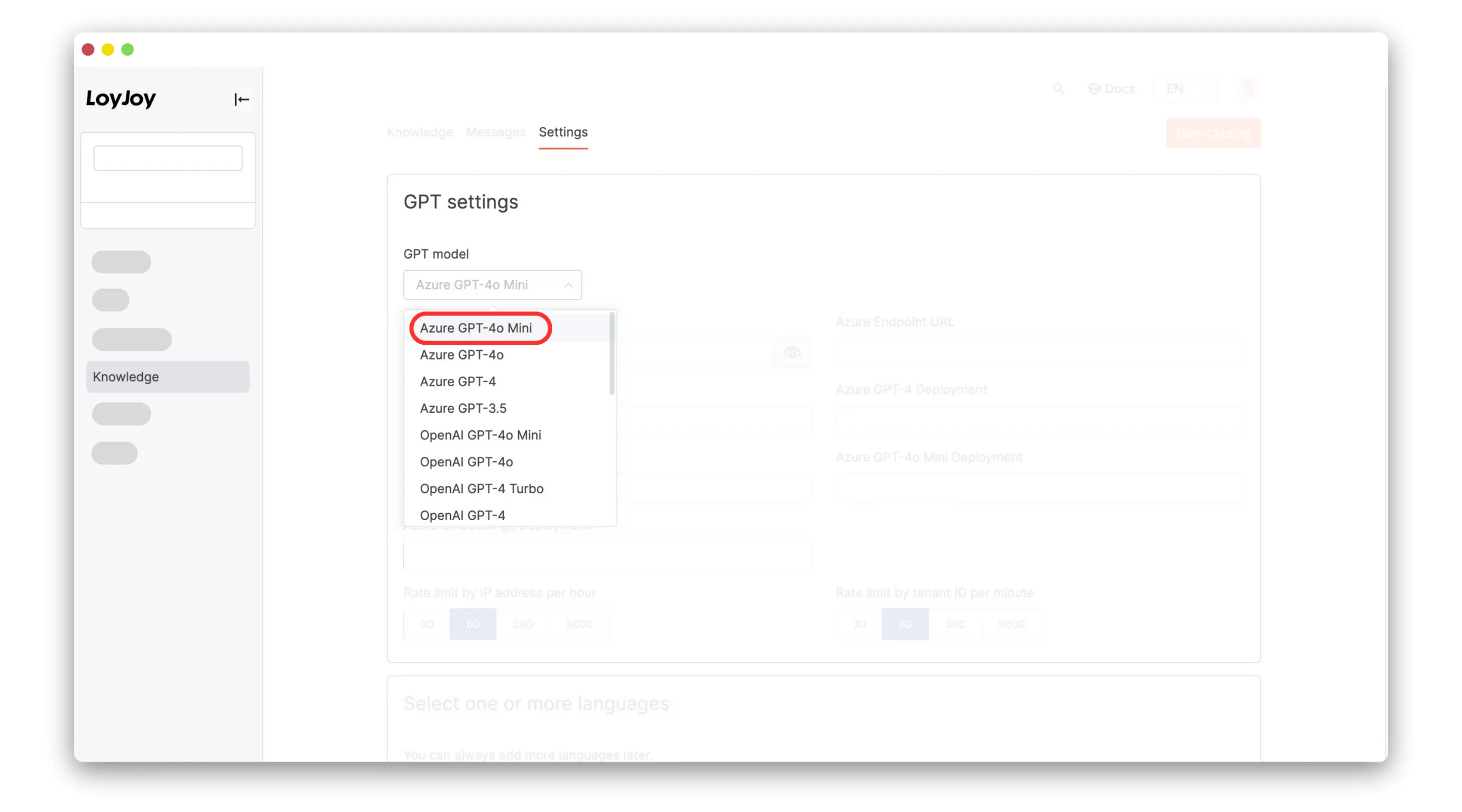
New Standard Model: Azure GPT-4o Mini

  • Integration of Azure GPT-4o Mini as the new standard model for all LoyJoy GPT chats
  • Faster, more accurate and ¼ the cost of GPT-3.5 Turbo
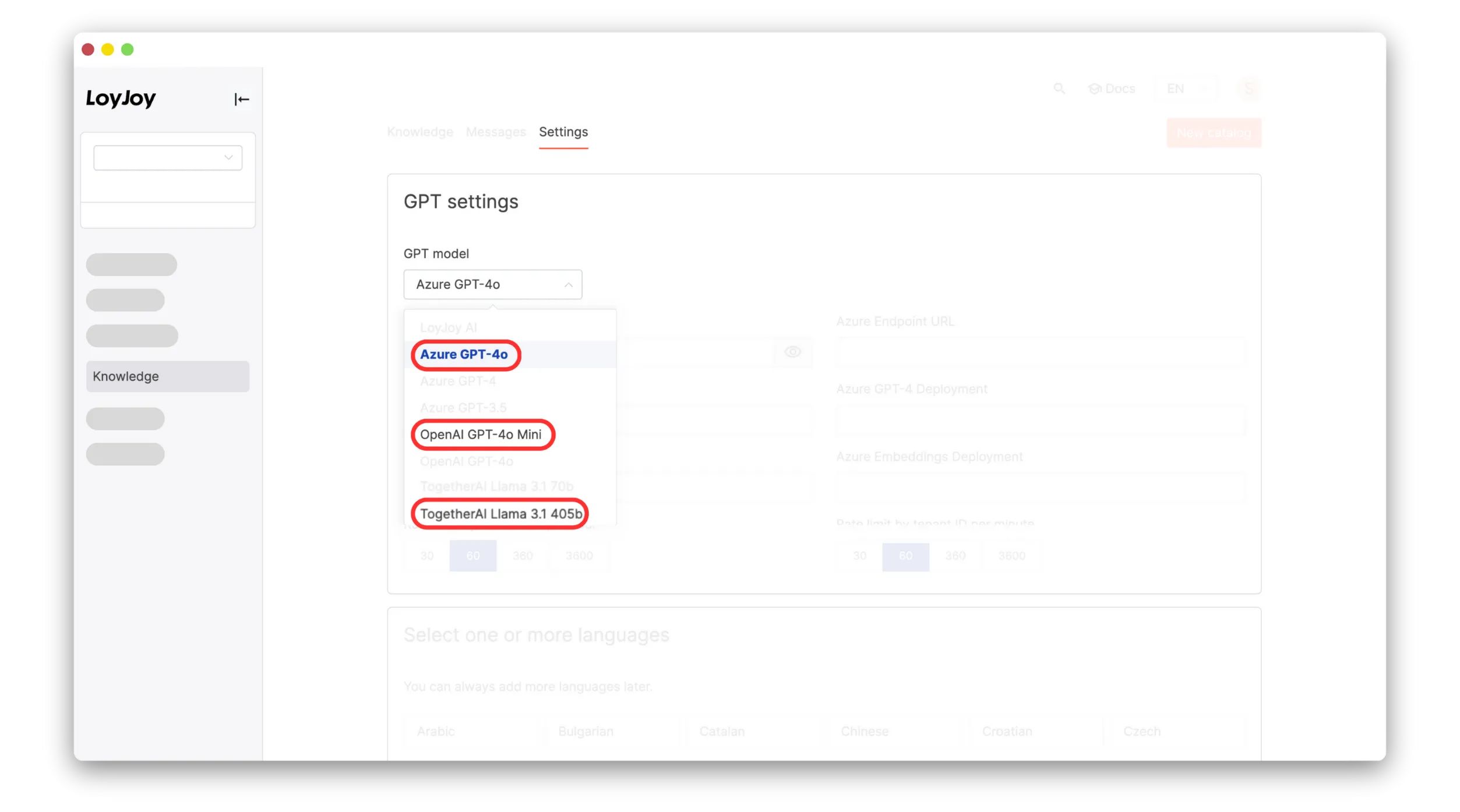
  • Still using GPT-3.5 for your LoyJoy chats? Then quickly switch to Azure GPT-4o Mini under “Knowledge” → “Settings” → “GPT Model”

Double the Sources With Azure GPT-4o Mini

  • The number of sources used by the “GPT Knowledge” process module from your knowledge base is doubled
  • This allows for even more accurate answers than before
  • It is enabled for newer LLMs like Azure GPT-4o Mini

New Name Module, IP Address Control, Combobox and Support for Kazakh

New Process Module: Name

  • Combining first name and last name in a single module
  • Collect first and last names in a single step

IP Address Management

  • Gain more control over your bot’s accessibility with our new IP address feature. You can now add specific IP addresses or IP address ranges for access or exclude certain IPs to improve security and targeting options

Combobox in Questionnaires

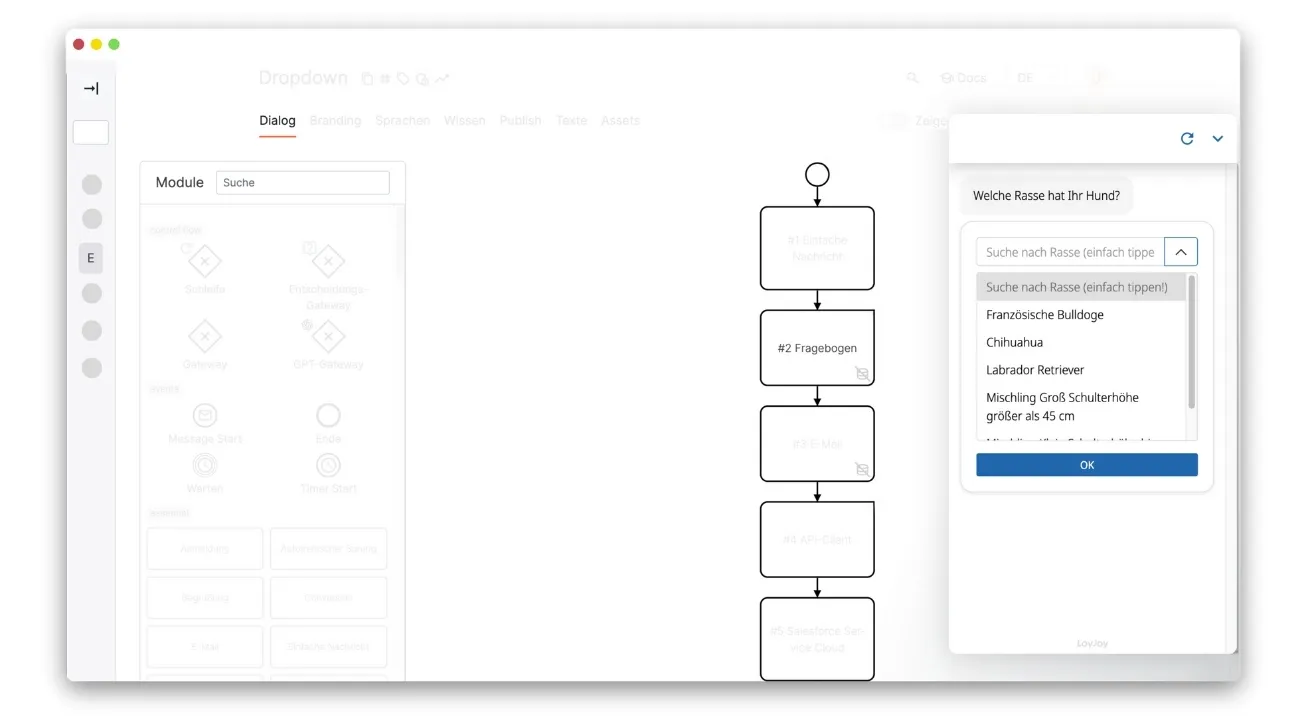
  • We’ve upgraded the Questionnaire module with a searchable dropdown (Combobox) option. This feature makes it easier for users to find and select options in long lists

New Language: Kazakh

  • We’ve added Kazakh as our 39th supported language

Three New LLMs in One Day: Llama 3.1 405b, GPT-4o Mini and Azure GPT-4o, Hosted in the EU, Now Available in LoyJoy

Llama 3.1 405b:

  • 405 billion parameters for in-depth understanding
  • Strong performance in coding and text analysis
  • More cost-effective alternative to GPT-4o

GPT-4o Mini:

  • Outperforms GPT-3.5 in important benchmarks
  • 60% cheaper and twice as fast as GPT-3.5 Turbo
  • Ideal for fast, cost-sensitive applications
  • Compact size with high performance

Azure GPT-4o:

  • The most powerful LLM GPT-4o to date with increased data security
  • Full EU hosting now available for maximum GDPR compliance
  • The Sweden location is available

Llama-3 70b: Generative AI hosted in Germany

The new integration of Meta’s open-weight model Llama-3 70b into the LoyJoy Conversational Platform offers a new LLM which is hosted by our German partner primeLine AI in Limburg an der Lahn, Germany and ensures that everything is hosted in Germany.

Interested? Contact us for activation.

Key Features

  • Hosted in an ISO 27001 certified data center of partimus GmbH in Limburg an der Lahn (part of the primeLine Group)
  • Privacy focused: Data stays in Germany
  • No Azure OpenAI hosting required
  • 100% Made in Germany
  • As always, designed for GDPR

New LoyJoy Feature: Reranking

Our new Reranking feature is an optional RAG enhancement and improves chatbot responses by intelligently analyzing and prioritizing up to 32 information sources per request. The result is more accurate, relevant, and comprehensive answers.

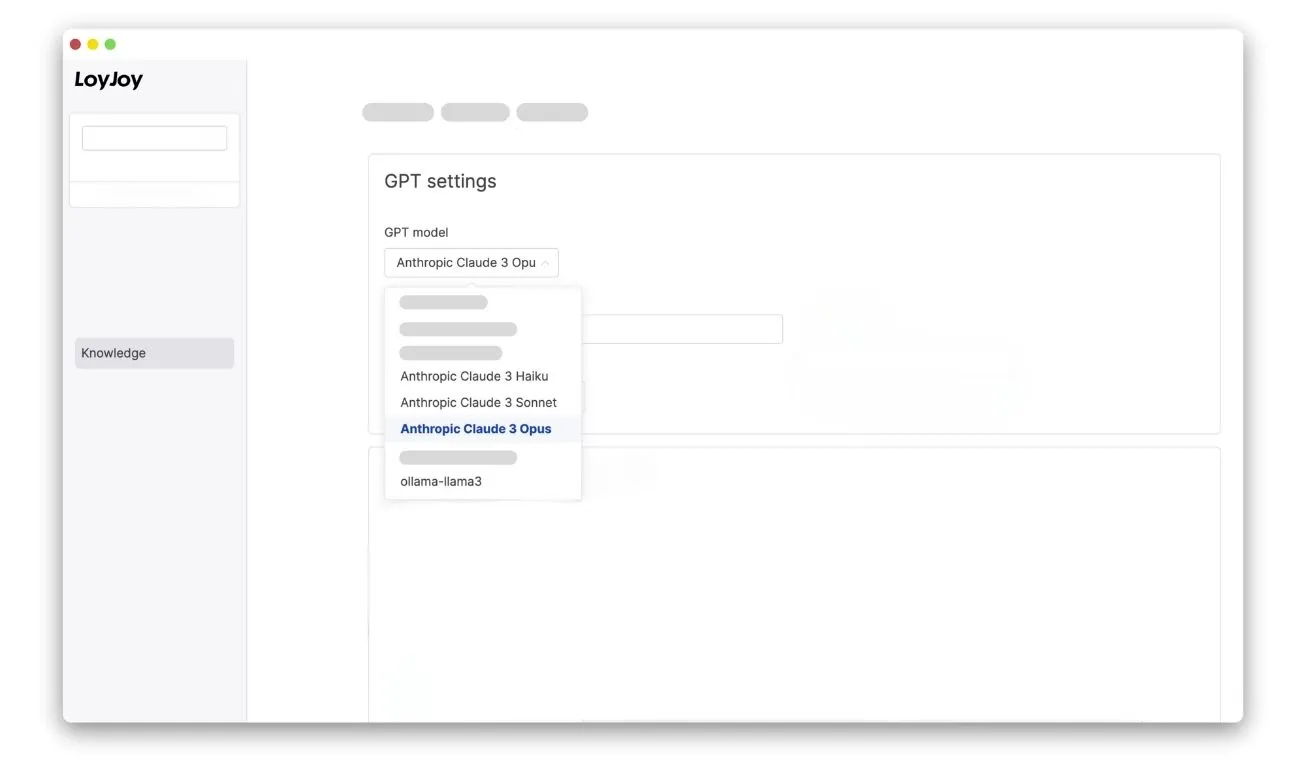
New LLM: Claude 3.5 Sonnet

We’ve integrated Claude 3.5 Sonnet, Anthropic’s latest AI model, offering superior performance in reasoning, code analysis, and multilingual math, along with improved visual capabilities and cost efficiency.

New LLM Integration: Claude-3 & Llama-3

We have added the two LLMs Claude-3 and Llama-3 to the LoyJoy Platform. You can now use Claude-3 and Llama-3 in your experiences.

OAuth: Super Easy Google Sheets Connection

Google Sheets can now be connected more easily. In the Google Maps and Product Feed modules, Google Sheets can now be authorised as a connector even more easily. Simply connect with your Google account and insert the spreadsheet ID. No key is required for authorisation.

SQL Parser

You can now use SQL to filter data from connectors. Specify the spreadsheet ID and now you can find data even more easily from large amounts of data.

New: GPT-Source Folder

You can now organise your GPT sources in folders. This makes it easier to select the right sources for different experiences.

Tag Suggestions & Questionnaire

This release introduces a new feature that allows you to add tags to answers in the Questionnaire module. This will help you categorize and filter answers more easily and improve your product recommender.

Salesforce Apex API Client

You can now easily integrate your Salesforce Service Cloud account with the Salesforce Service Cloud module. With the new mode “API request”, you can retrieve and/or send data from your Salesforce account on the fly. In addition, you can now use Oauth authorization to easily connect to your Salesforce account.

JSON Validation

We have also released a new JSON validation feature that allows you to validate your JSON code. You can find it in the API client module and in the Salesforce Service Cloud module under Payload.

New Sources API

This release adds a new API that allows you to add sources to be used by GPT. The API can be used to add websites as sources or to upload files such as PDFs. You can use the API to automatically remove or add sources. This allows you to keep your sources up to date without manual intervention.

New Articles Module, Backend Improvements

The new articles module allows you to display selected articles directly in the chat flow. This allows you to highlight certain articles e.g. as an FAQ or to provide an overview over the topics you cover.

Linking directly to articles

Additionally, you can now link directly to articles from the chat flow. This is implemented in a new link selector that can be used in any text field.

LoyJoy Backend Improvements

  • When uploading images, you can now zoom out to e.g. fit a portrait image into a landscape aspect ratio
  • You can switch between sorting by name and sorting by date in the list of experiences

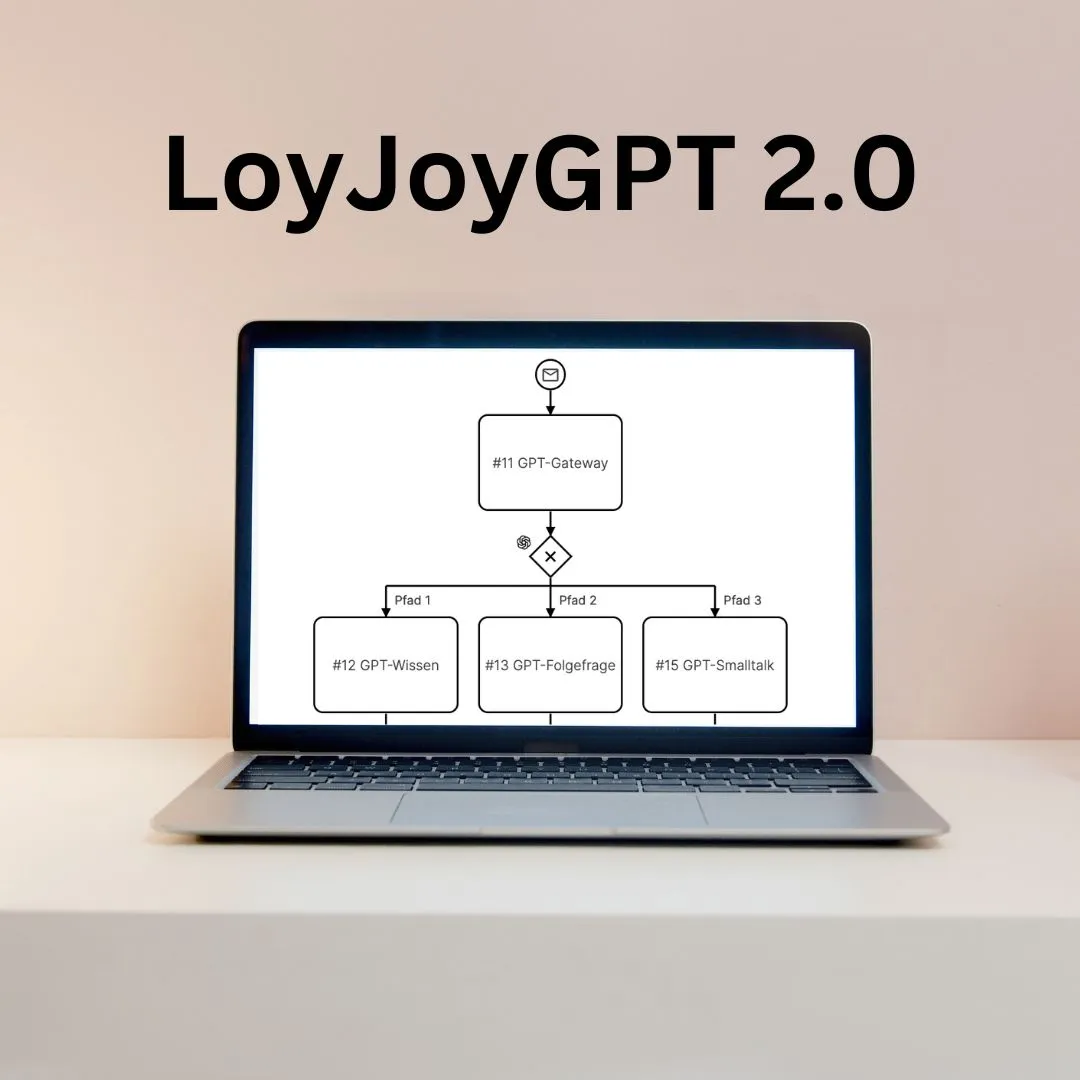
LoyJoyGPT 2.0

This release completely overhauls the GPT integration in LoyJoy. There are new GPT modules such as the GPT follow-up question, GPT Prompt, GPT Smalltalk, and GPT Gateway. The previous GPT integration can be found in the GPT Knowledge module. The new GPT modules are more powerful and flexible than the previous integration and allow you to create more complex and dynamic conversations.